
Where to start
Reports → Customer satisfaction / SLA
For panel settings, sign in to the intended workspace with a role that has access to that section. Available tools depend on your plan and configured services.
Step 1
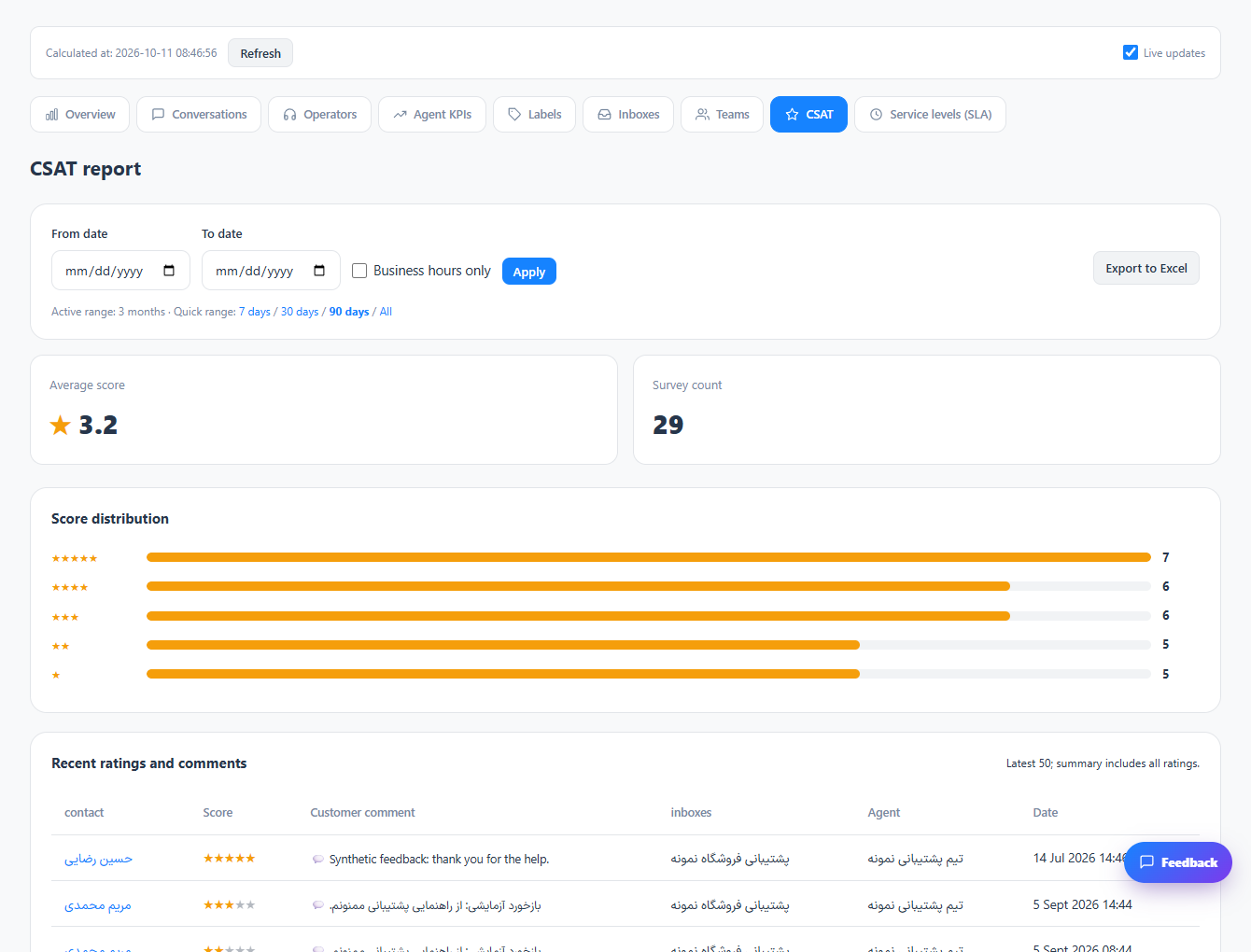
Choose the relevant period and review satisfaction ratings together with their response count.
Step 2
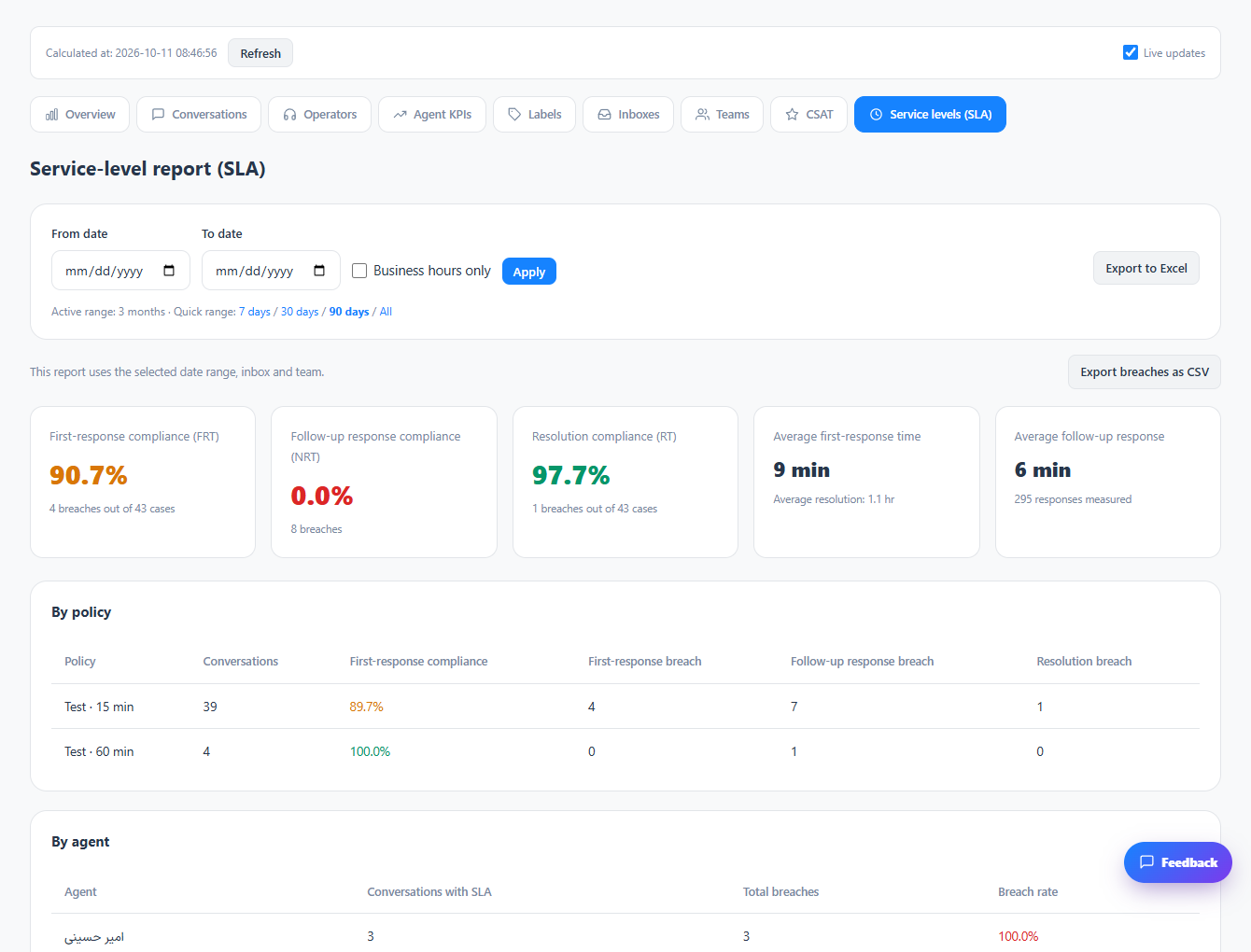
Open SLA reporting to compare measured cases, met targets and breached targets.
Step 3
Use the results to inspect affected conversations and adjust the support process where needed.
Check the result
Customer feedback and response commitments can be reviewed separately from message volume.
If something does not work
Check the selected workspace and inbox, your access role and the save confirmation. Reload the page to confirm the saved state. If the issue continues, contact support with the page name and error text.
Contact support