
Shared inbox
Reply to incoming conversations from one workspace.
Find every capability in one place. Search for what you need or open a category to see its tools and real screenshots.
Reply to incoming conversations from one workspace.
Find a previous conversation without browsing the whole queue.
Separate open, resolved, bot-owned and snoozed conversations.
Sort by activity, creation time, priority or waiting time.
Focus on messages from a particular connected channel.
Send attachments alongside your text replies.
Send or receive recorded voice messages in supported conversations.
Insert a saved answer using its shortcut.
Mark a request as low, medium or high priority.
Organize conversations by topic or follow-up needs.
Set aside a conversation to return to it later.
Resolve selected conversations or the matching open results together.
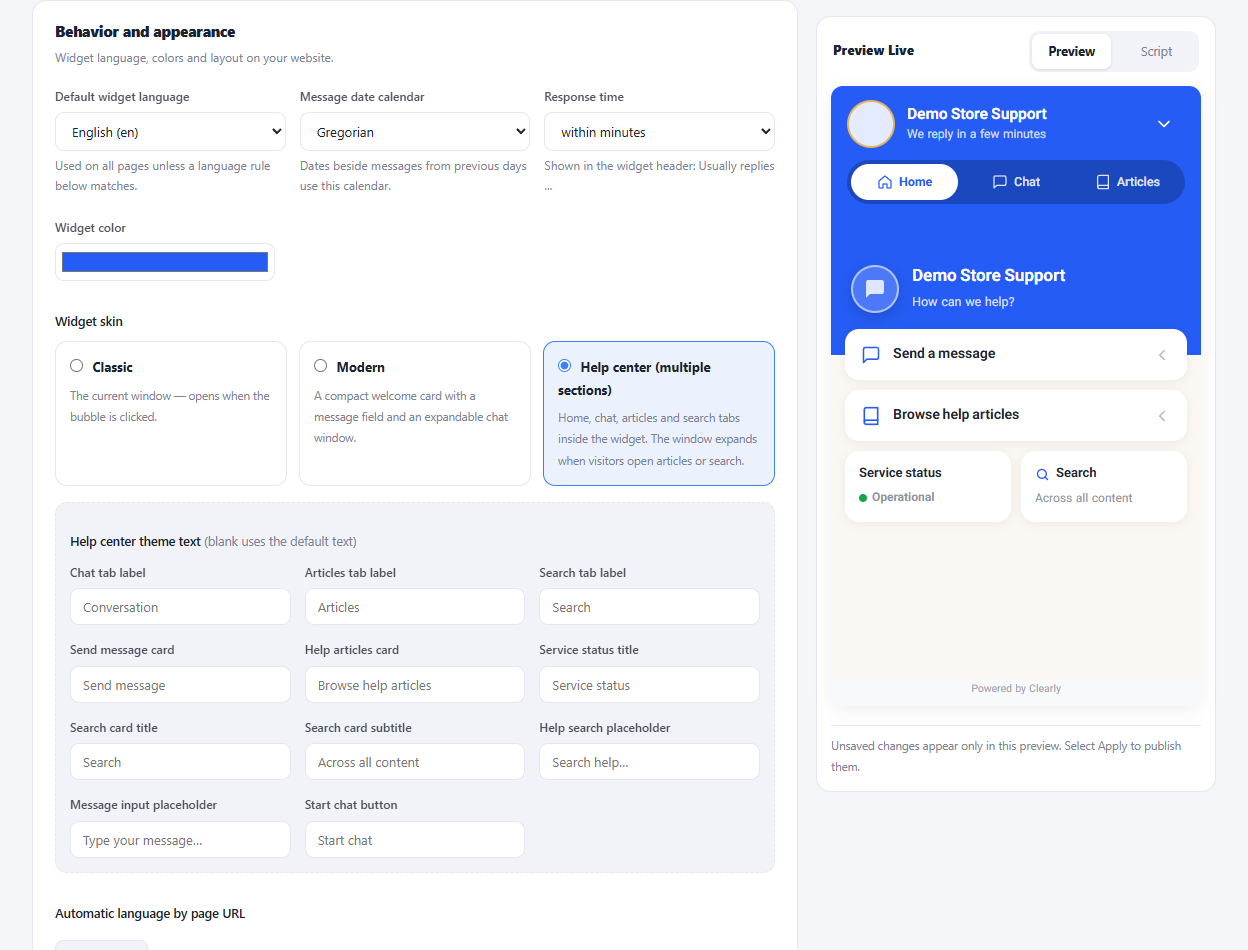
Choose classic, modern or the multi-section help center.
Set the title, avatar, welcome text and brand color.
Choose its position, icon, size and expanded or compact style.
Adjust message colors, backgrounds and fonts.
Review appearance changes before applying them.
Set the language and welcome text for visitors.
Match the widget language to rules for your page URLs.
Use a right-to-left widget for Persian and Arabic.
Collect contact details and additional fields before chatting.
Verify phone numbers when a supported SMS service is configured.
Collect an email address and message while operators are offline.
Offer ready-made question buttons at the start of chat.
Let visitors browse and search published help articles.
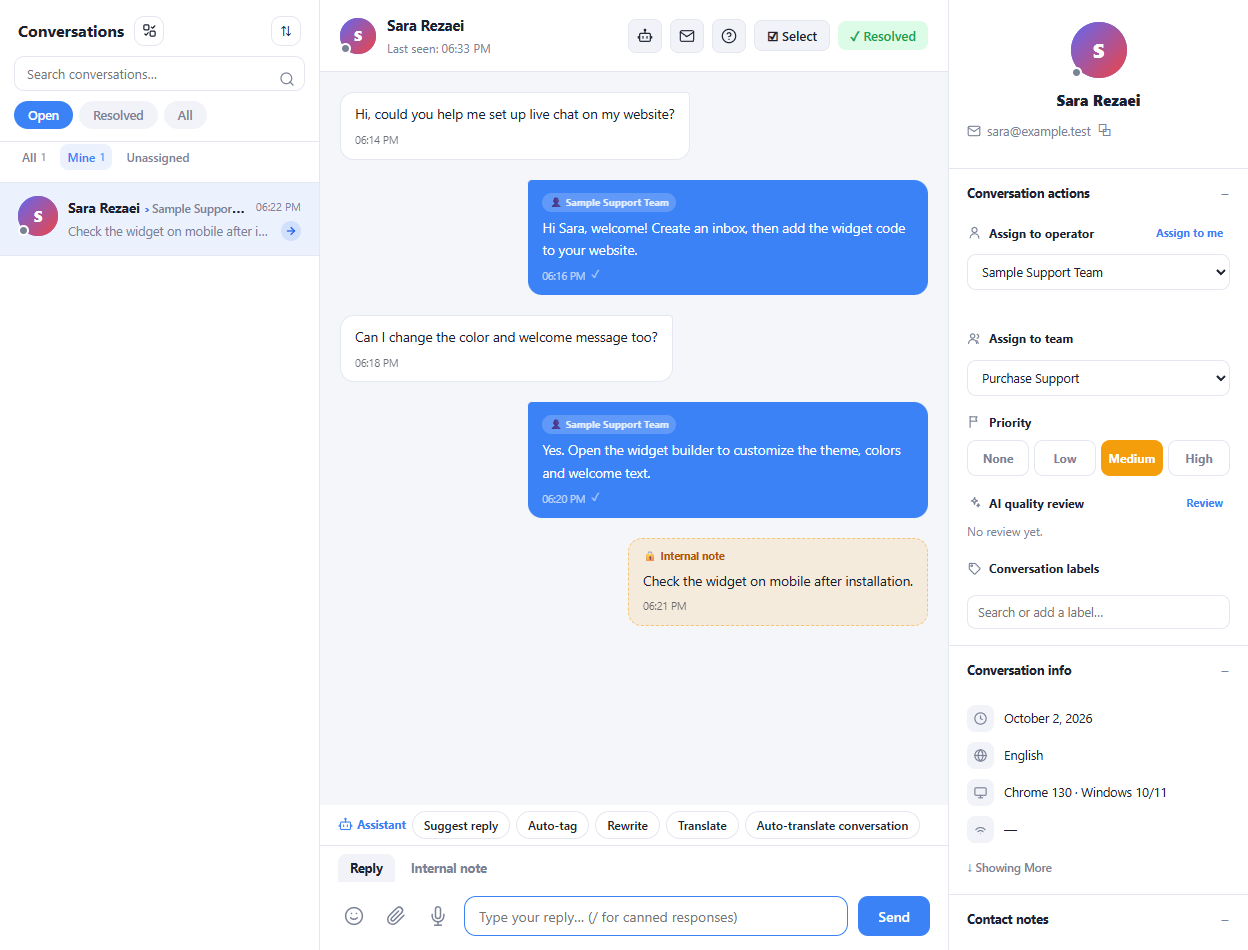
Receive visitor messages directly from the website widget.
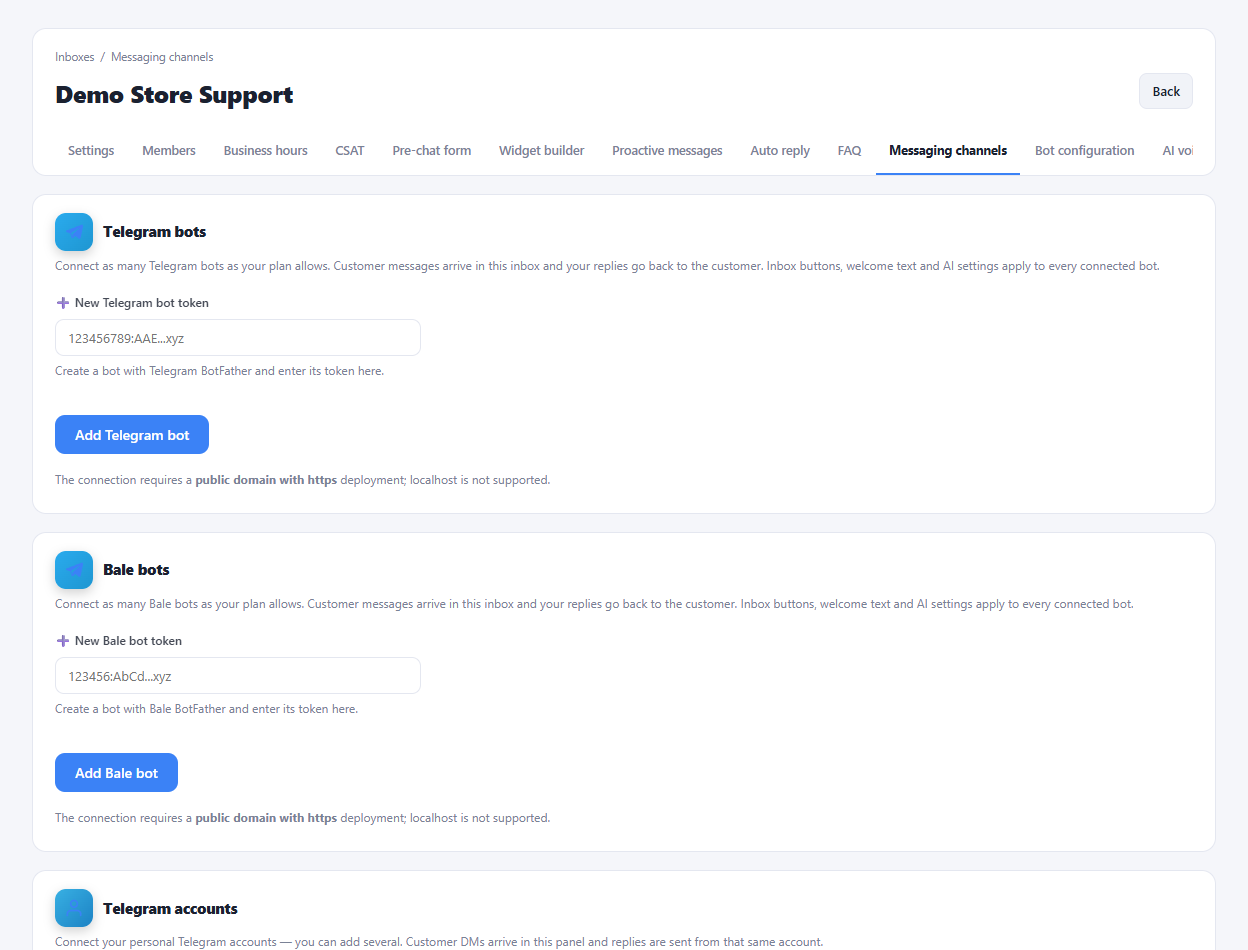
Connect a Telegram bot and answer its messages in the panel.
Connect supported Telegram accounts for private messages.
Manage messages from connected WhatsApp numbers.
Connect a Bale bot to your support inbox.
Connect multiple accounts or bots within your plan limits.
Add menu buttons for a saved message, FAQ or website link.
Decide which connected channels can receive bot replies.
Send configured welcome messages when a conversation begins.
Invite colleagues to join your support workspace.
Group colleagues by responsibility or department.
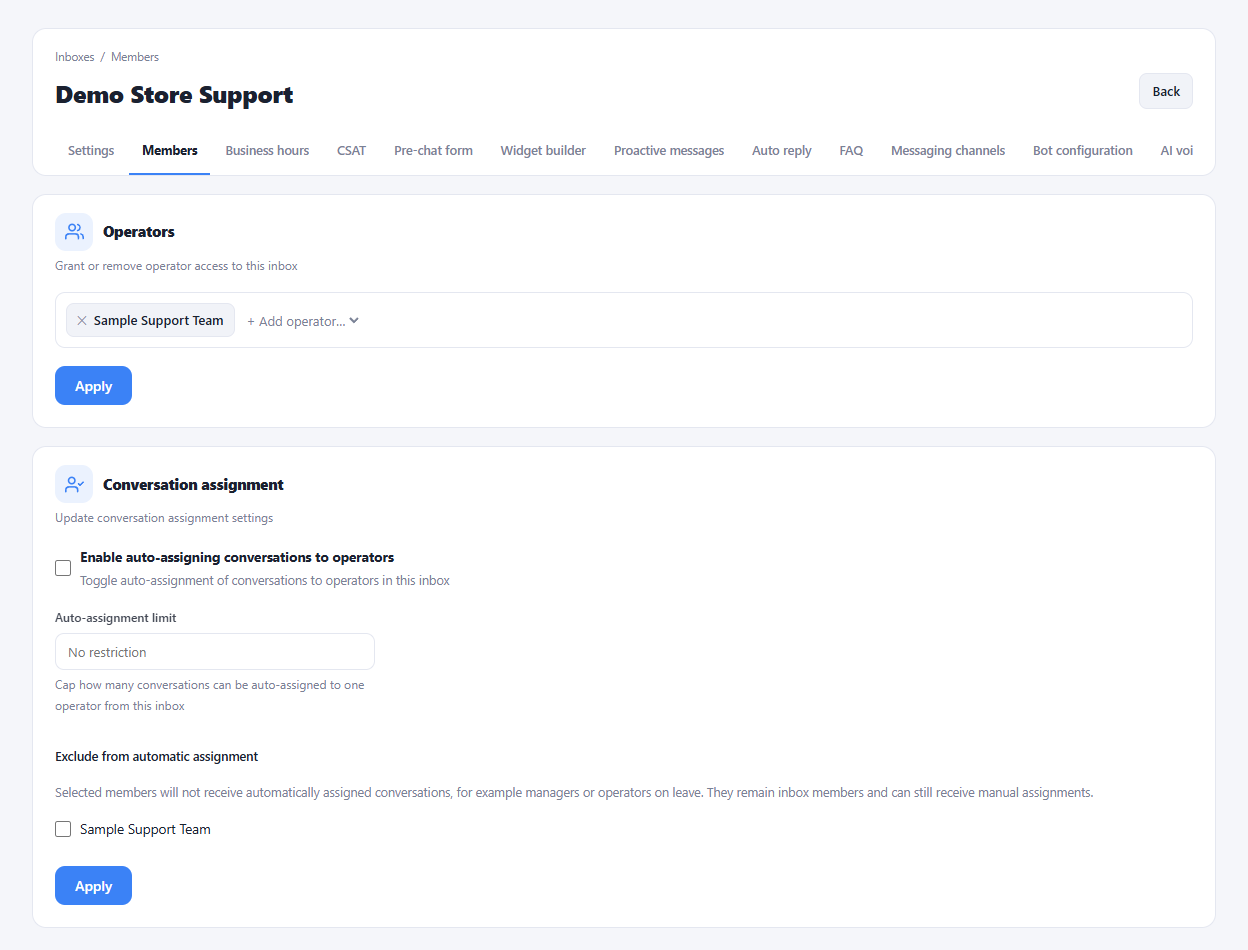
Choose which operators belong to each inbox.
Assign the available operator, supervisor or observer roles.
Create roles with the permissions your organization needs.
Transfer a conversation to an operator or team.
Distribute incoming conversations among eligible operators.
Limit how many conversations an operator receives automatically.
Exclude selected members from automatic assignment.
Share context with teammates without messaging the customer.
Set availability and show support presence to visitors.
Define weekly hours, time zone and out-of-hours messages.
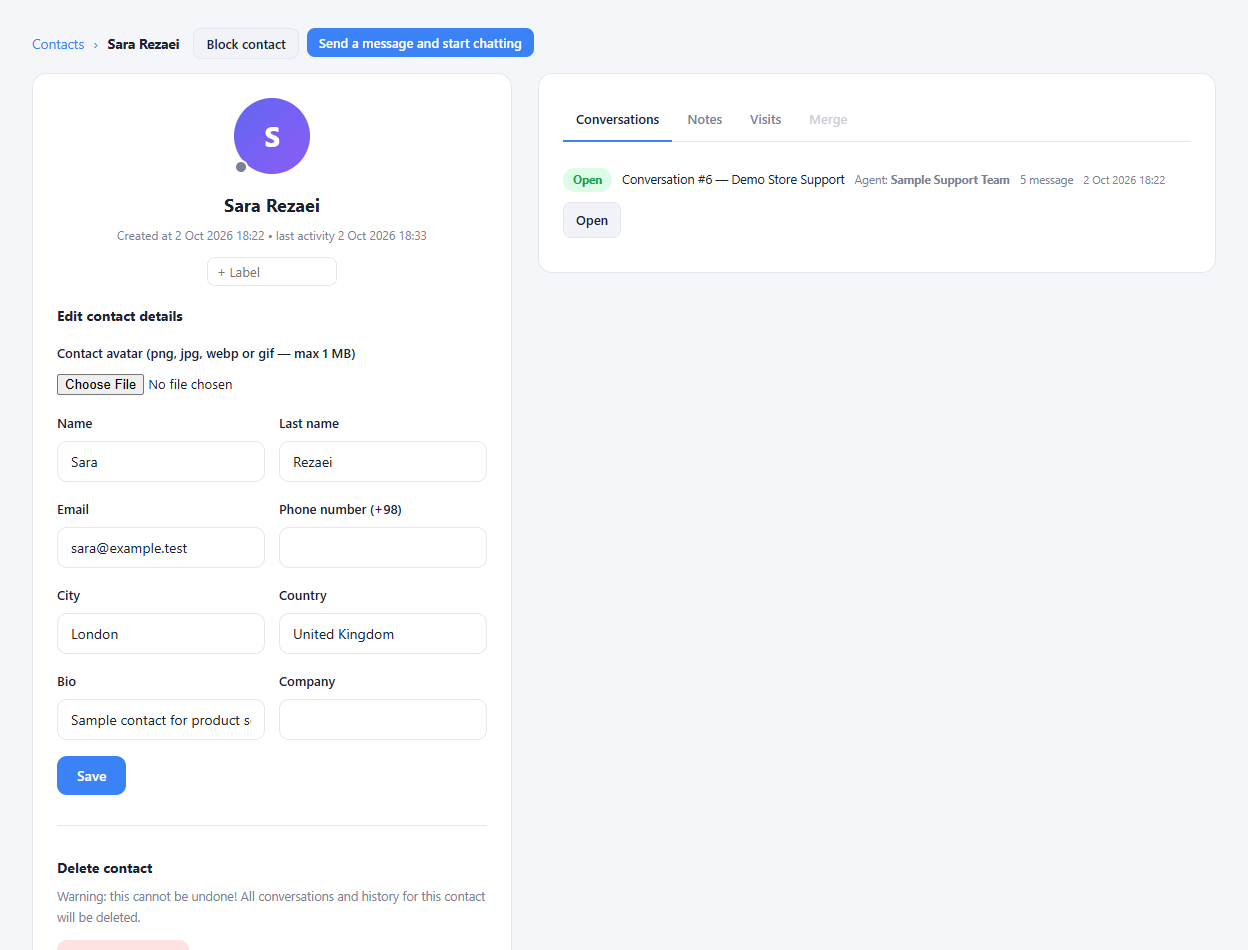
Keep name, contact details, location and company together.
See the extra information collected by your pre-chat form.
Save information your team needs for future follow-ups.
Review previous conversations before replying.
Review the pages and visits recorded for a contact.
Group contacts by their interests or support needs.
Combine duplicate customer records through the merge tools.
Restrict a contact who is disrupting your support service.
Bring contact records into the workspace using the import tools.
Export contact information for your own records.
See current pages, browser details and active visitors.
Use the live-view tools when the required visitor-side access is enabled.
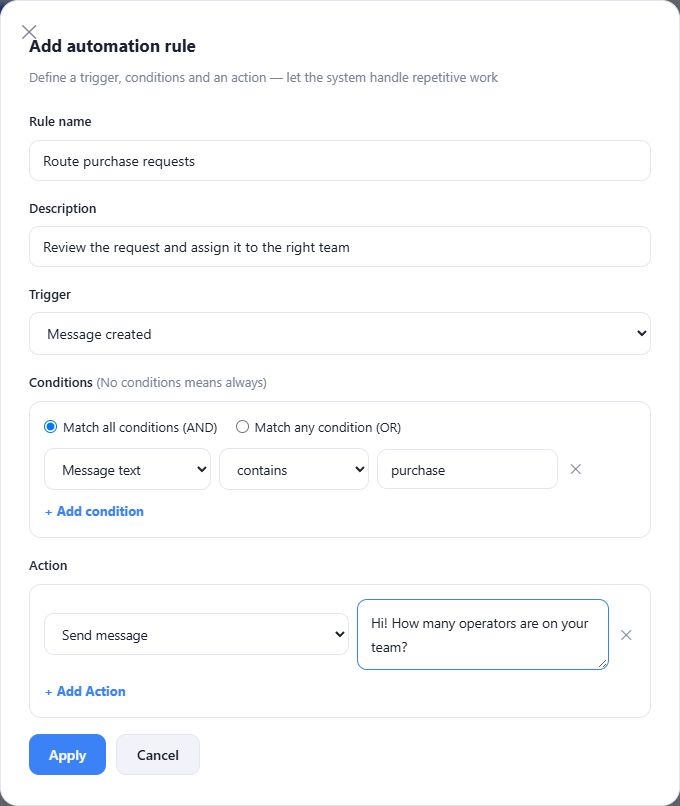
Run configured actions when a supported event occurs.
Match all conditions or any condition in an automation rule.
Apply labels to conversations or contacts through rules.
Send the configured text or attachment when a rule matches.
Route a matching request to the right team or operator.
Show an invitation based on the page and visit duration.
Start a conversation with someone currently browsing.
Set messages for customers waiting for an operator reply.
Filter by inbox, status, labels, assignment and recent activity.
Send a broadcast only once to each contact when selected.
Apply the available label, status or survey actions after a broadcast.
Review previous sends and failed or skipped recipients.
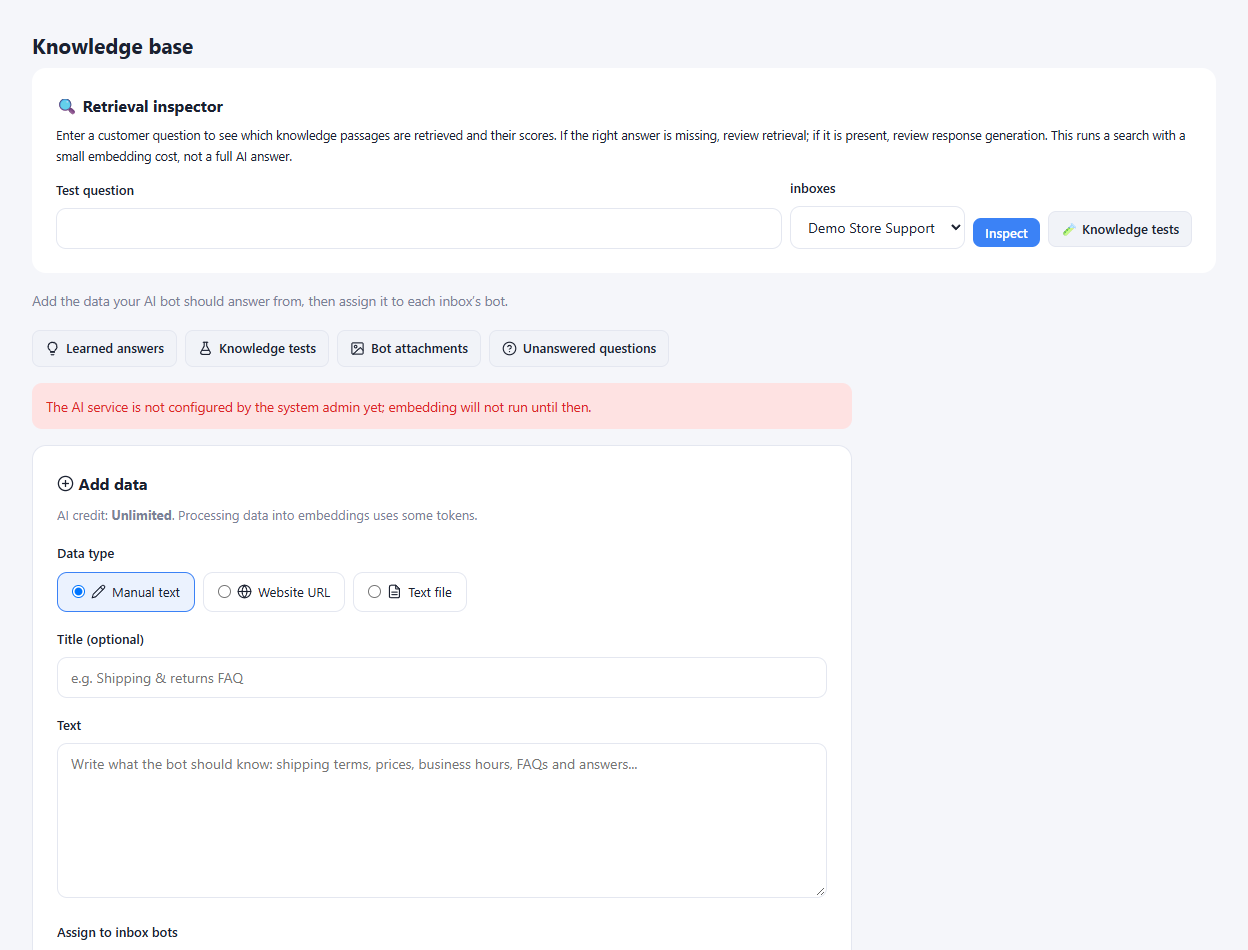
Add business information as text for the assistant.
Import supported text, document and spreadsheet formats.
Import content from a supported public webpage URL.
Edit the title, keywords and content of knowledge passages.
Assign sources to the inbox bots that should use them.
See which passages match a sample question and their scores.
Review missing answers and add them to the knowledge base.
Test sample questions against expected answers.
Manage answers retained by the learning tools.
Provide files and matching rules for the bot to send.
Create categorized articles with titles, summaries and language settings.
Set up FAQ answers and when they appear in the inbox widget.
Choose whether AI replies first, outside hours or when operators are away.
Describe the assistant role and choose its writing tone.
Set how strictly answers must follow your knowledge base.
Transfer a conversation when a customer asks for human help.
Limit bot replies and control bot access after an operator joins.
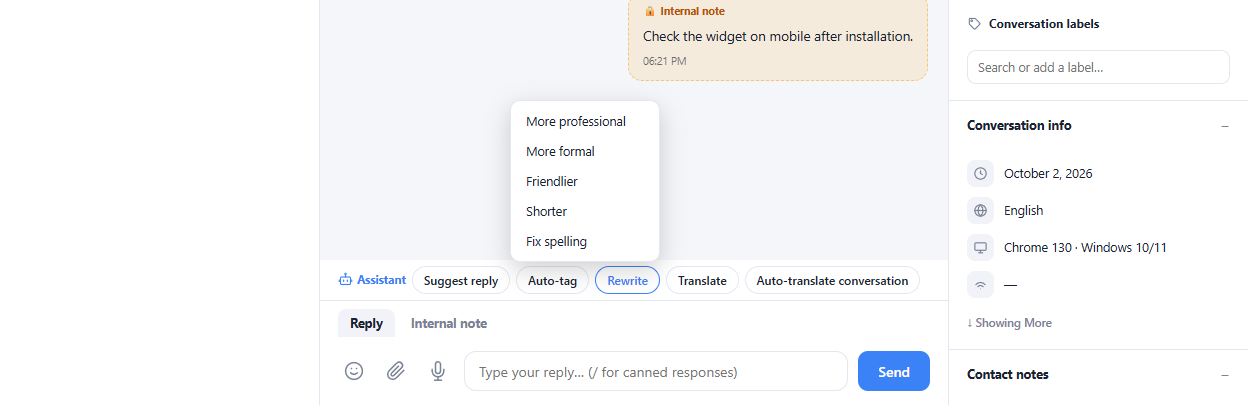
Ask for a draft reply while handling a conversation.
Improve wording, tone, spelling and grammar before sending.
Use translation tools to communicate across languages.
Review or pass on a summary when handing off a chat.
Use sentiment assistance to flag conversations that need attention.
Review operator responses using the available AI evaluation tools.
Transcribe customer voice messages for the support workflow.
Let the assistant interpret images within configured limits.
Collect specified fields, save answers and hand off defined requests.
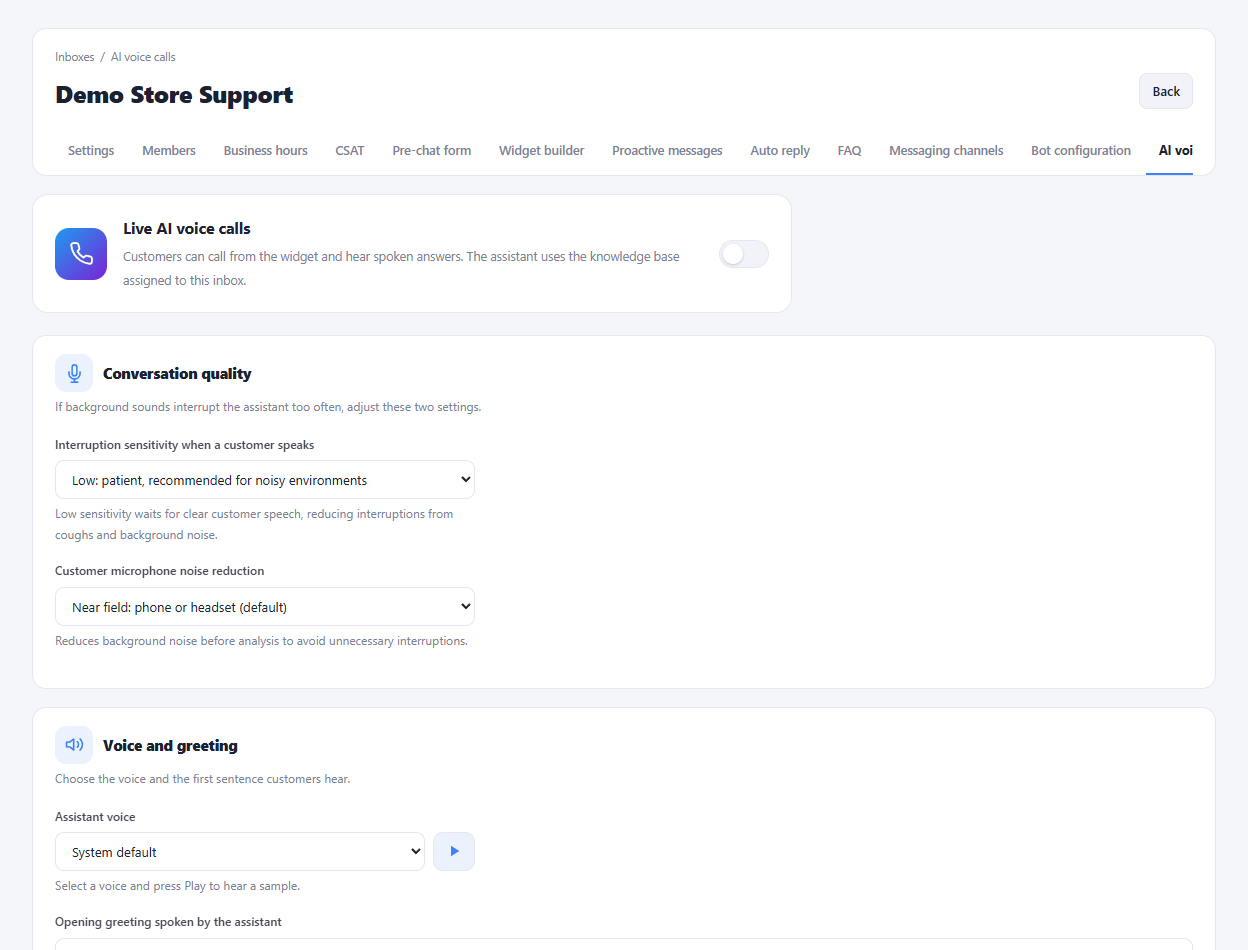
Let visitors talk with the AI assistant on your website.
Follow the customer language or set a fixed response language.
Choose the assistant voice and opening sentence.
Tune interruption sensitivity and microphone noise reduction.
Display assistant speech as text during the call.
Offer mute, hold and microphone or speaker selection.
End calls after a configured duration or silence period.
Show a notice customers accept before starting a call.
Ask for a rating and whether the issue was resolved.
Review call duration, resolution, cost and satisfaction statistics.
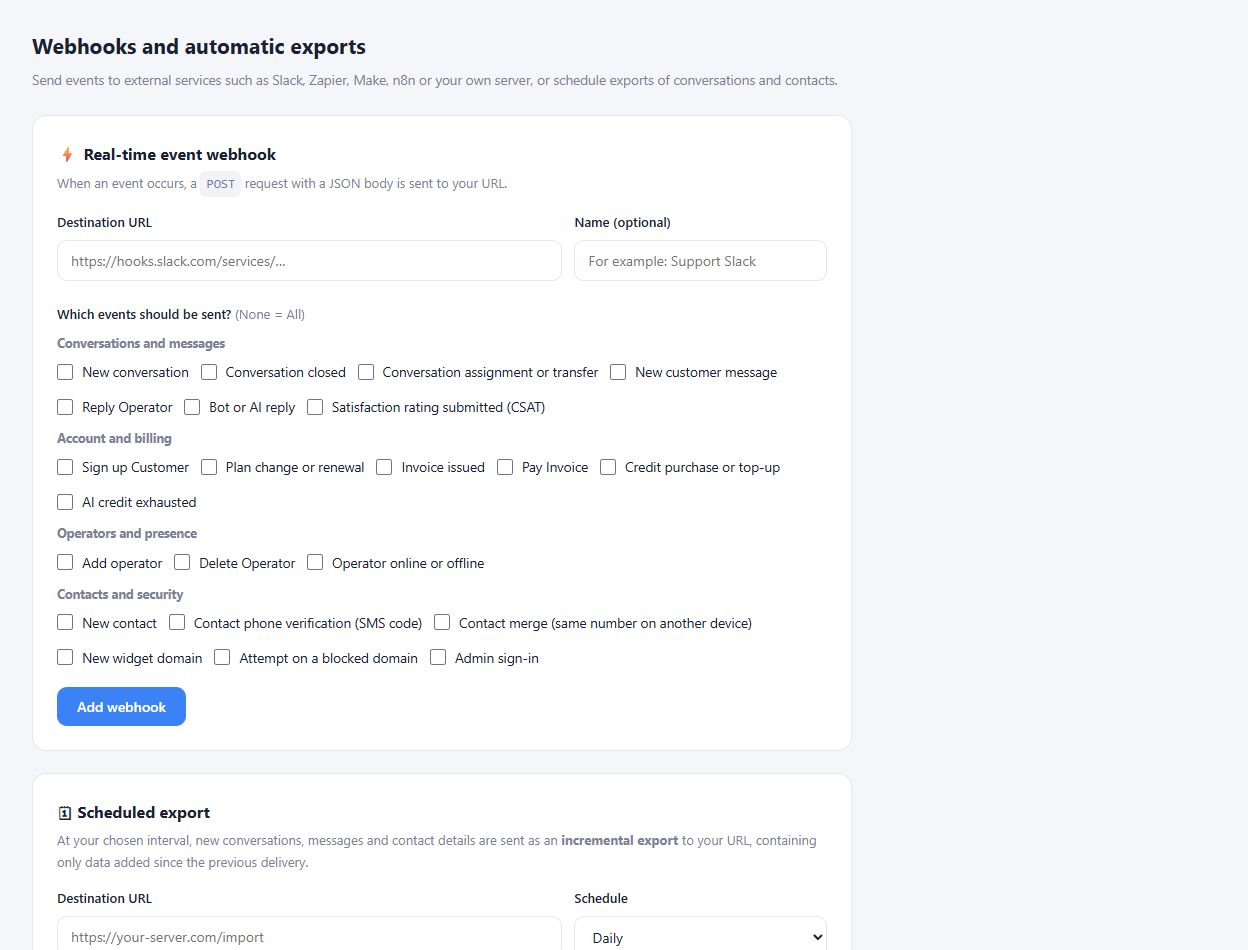
See open, unanswered, unassigned and bot-owned conversations.
Follow created and resolved conversations over time.
Identify busy days and hours to plan support shifts.
Review how long customers wait and how long resolution takes.
Review conversation and response statistics for each operator.
Compare activity by team or inbox.
Read satisfaction scores, their distribution and customer feedback.
Define target response and resolution times with exceptions.
Find conversations that missed their service targets.
Filter time-based reports to the configured working hours.
Display support rankings and recent trends on the TV view.
Review credit balance, usage and transaction history.
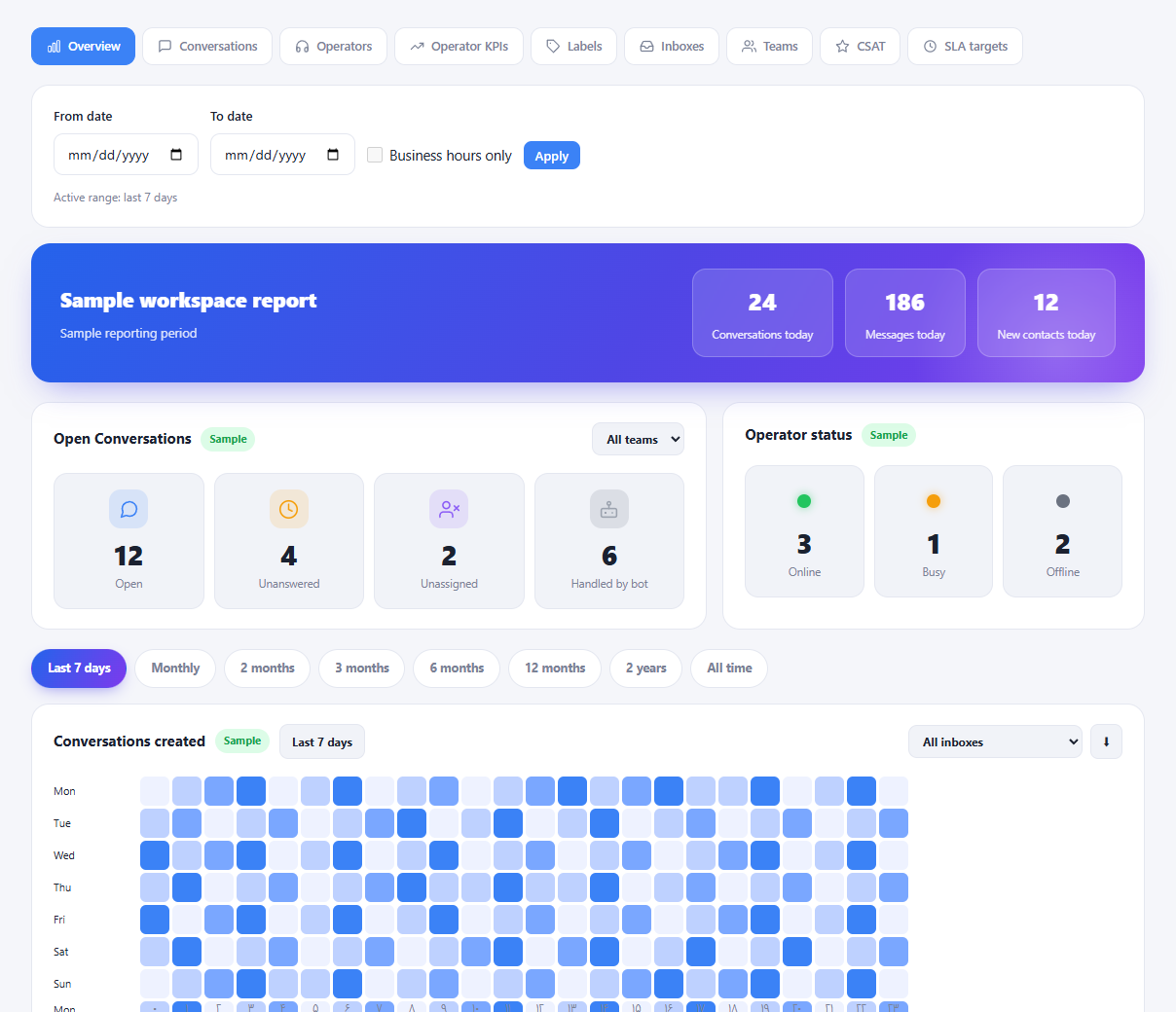
Send selected system events to your own endpoint.
Use the endpoint signing secret to verify incoming data.
Send incremental conversation and contact data periodically.
Review recent deliveries and endpoint status.
Pair a supported CRM with the workspace integration tools.
Use the available reporting API with your analysis tools.
Use the provided WordPress integration tools for the widget.
Create operators through the authenticated external API.
Use the hosted service without managing a server.
Install the enterprise edition on your own infrastructure.
Keep conversations and contacts in the deployment database.
Access the installation package and instructions after eligible purchase.
Choose your own server or the configured server-service options.
Choose self-installation or the available setup service.
Pick from the support periods configured for enterprise orders.
View installation license details and validity in the customer panel.
Choose available plans and billing periods from your account.
Review invoices and their payment status in the panel.
No feature matched your search. Try another word.
Choose a plan or ask our team for help getting started.