
Where to start
Contacts → Broadcasts
For panel settings, sign in to the intended workspace with a role that has access to that section. Available tools depend on your plan and configured services.
Step 1
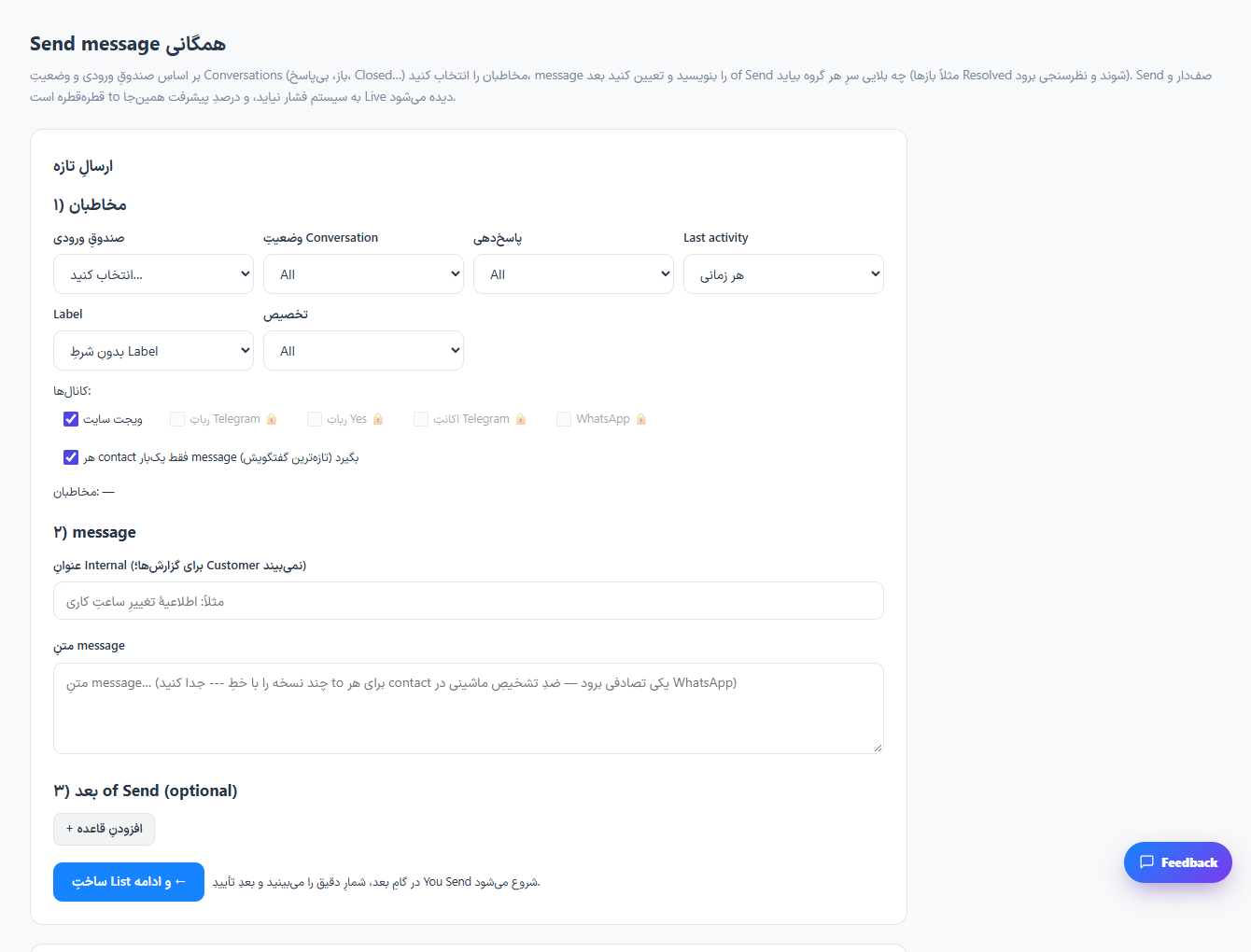
Choose the inbox and supported channel, then narrow the audience using the available filters.
Step 2
Write the message and preview the recipient count. Confirm that the selected contacts should receive this message.
Step 3
Use the displayed confirmation step to send, then inspect the delivery history and any failed recipients.
Check the result
The broadcast history records the delivery progress for the selected audience.
If something does not work
Channel restrictions, consent requirements and workspace permissions apply. Test with a small internal audience first.
Contact support