
Where to start
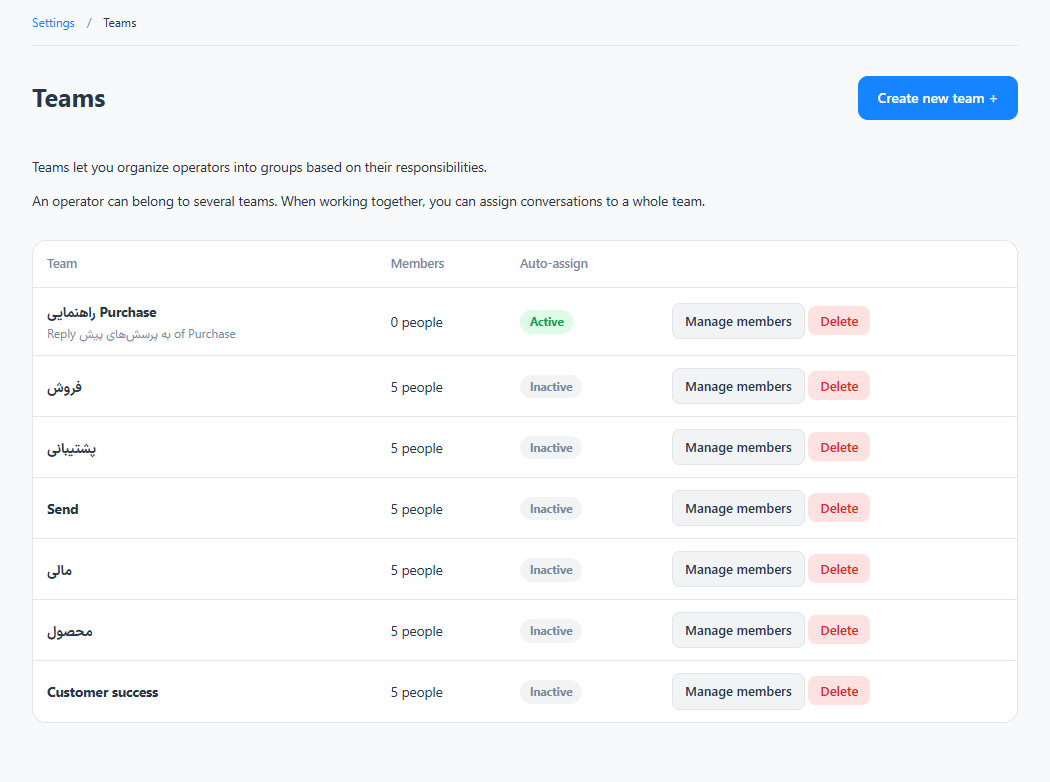
Settings → Workspace → Teams
For panel settings, sign in to the intended workspace with a role that has access to that section. Available tools depend on your plan and configured services.
Step 1
Create a team with a clear purpose, such as sales or technical support.
Step 2
Add the relevant operators and review any automatic assignment settings.
Step 3
Select the team in a conversation’s routing section, then verify that the intended operators can access it.
Check the result
Conversations can be grouped and assigned to the responsible team.
If something does not work
Check the selected workspace and inbox, your access role and the save confirmation. Reload the page to confirm the saved state. If the issue continues, contact support with the page name and error text.
Contact support