
Where to start
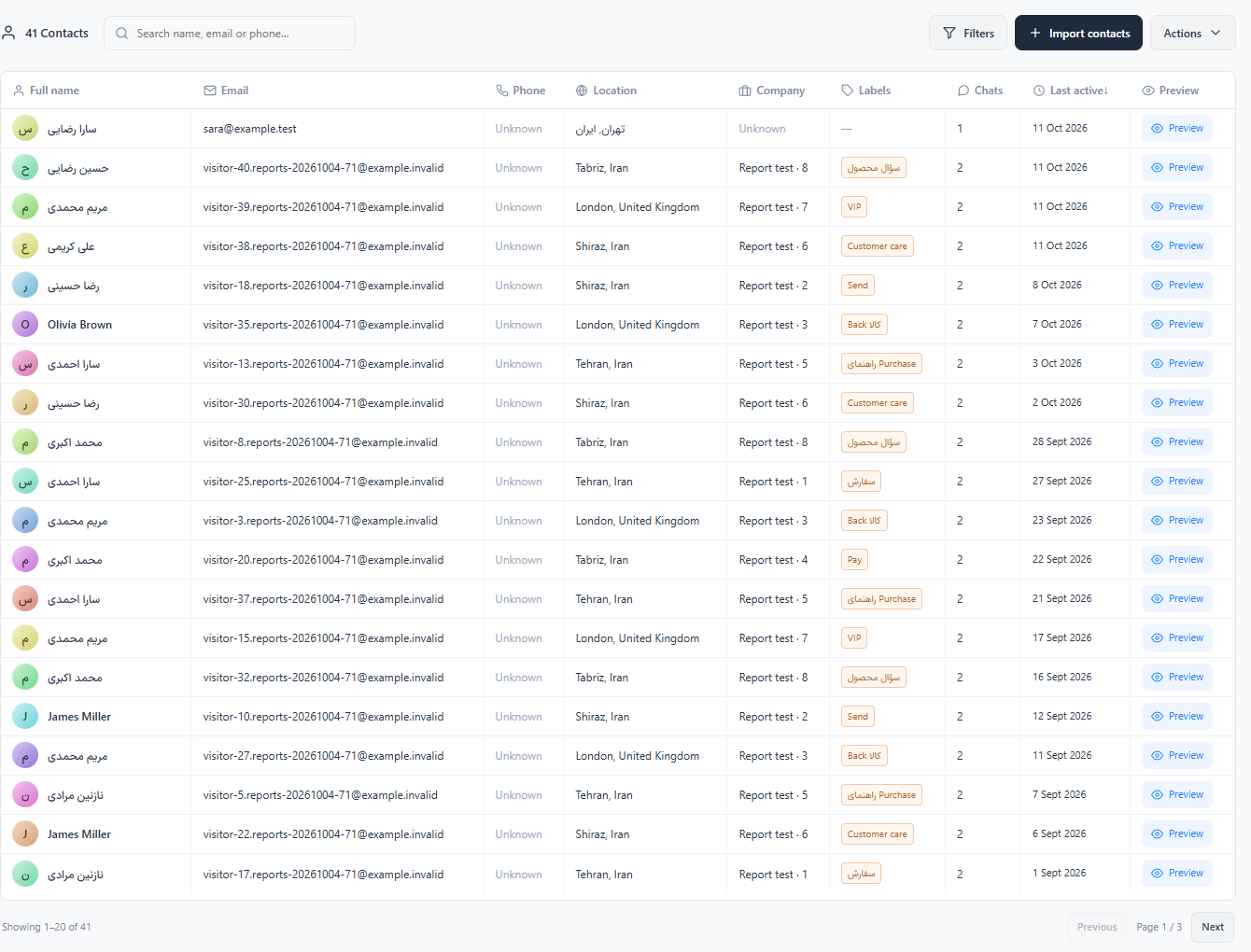
Main menu → Contacts
For panel settings, sign in to the intended workspace with a role that has access to that section. Available tools depend on your plan and configured services.
Step 1
Search by the available contact details and open the intended profile.
Step 2
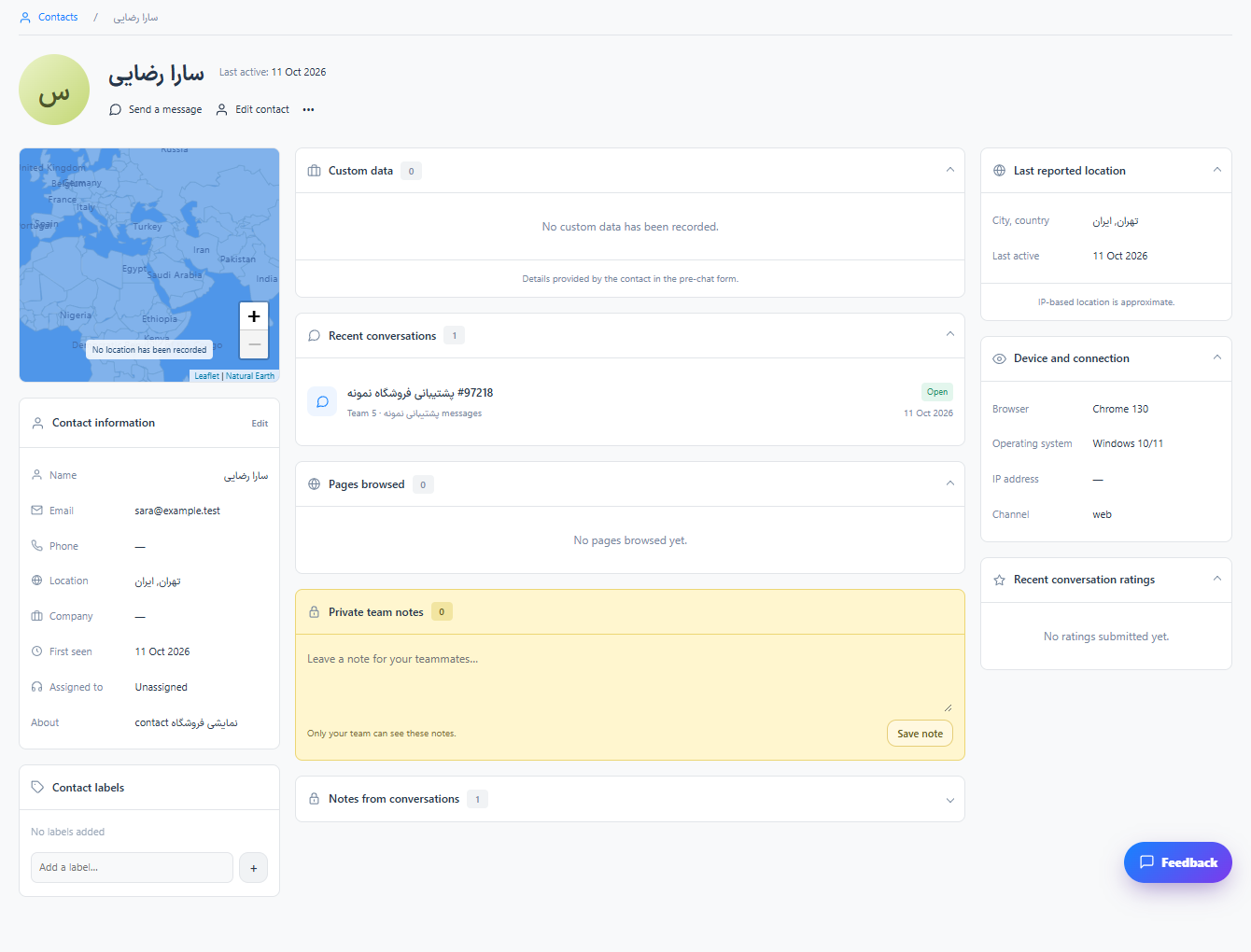
Review name, email, phone, custom details, notes and conversation history. Edit only details you have verified.
Step 3
Use labels and assignment to organize follow-up. Return to the linked conversation when you need to reply.
Check the result
Contact information and previous interactions are available together.
If something does not work
Check the selected workspace and inbox, your access role and the save confirmation. Reload the page to confirm the saved state. If the issue continues, contact support with the page name and error text.
Contact support