
Where to start
Inboxes → Manage → Bot configuration
For panel settings, sign in to the intended workspace with a role that has access to that section. Available tools depend on your plan and configured services.
Step 1
Review the knowledge sources, then set instructions, tone and response policy for the inbox.
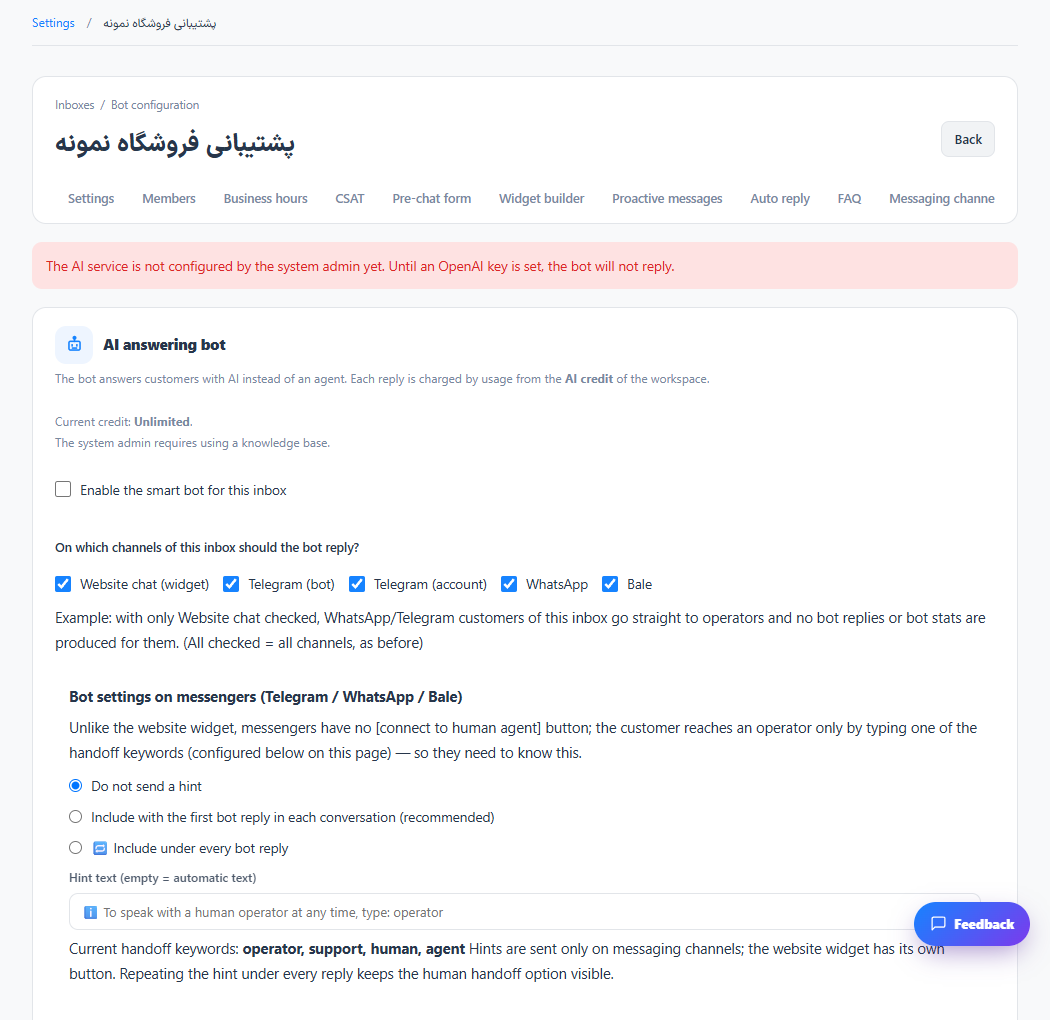
Step 2
Choose eligible channels, response limits and handoff conditions that send the conversation to a human.
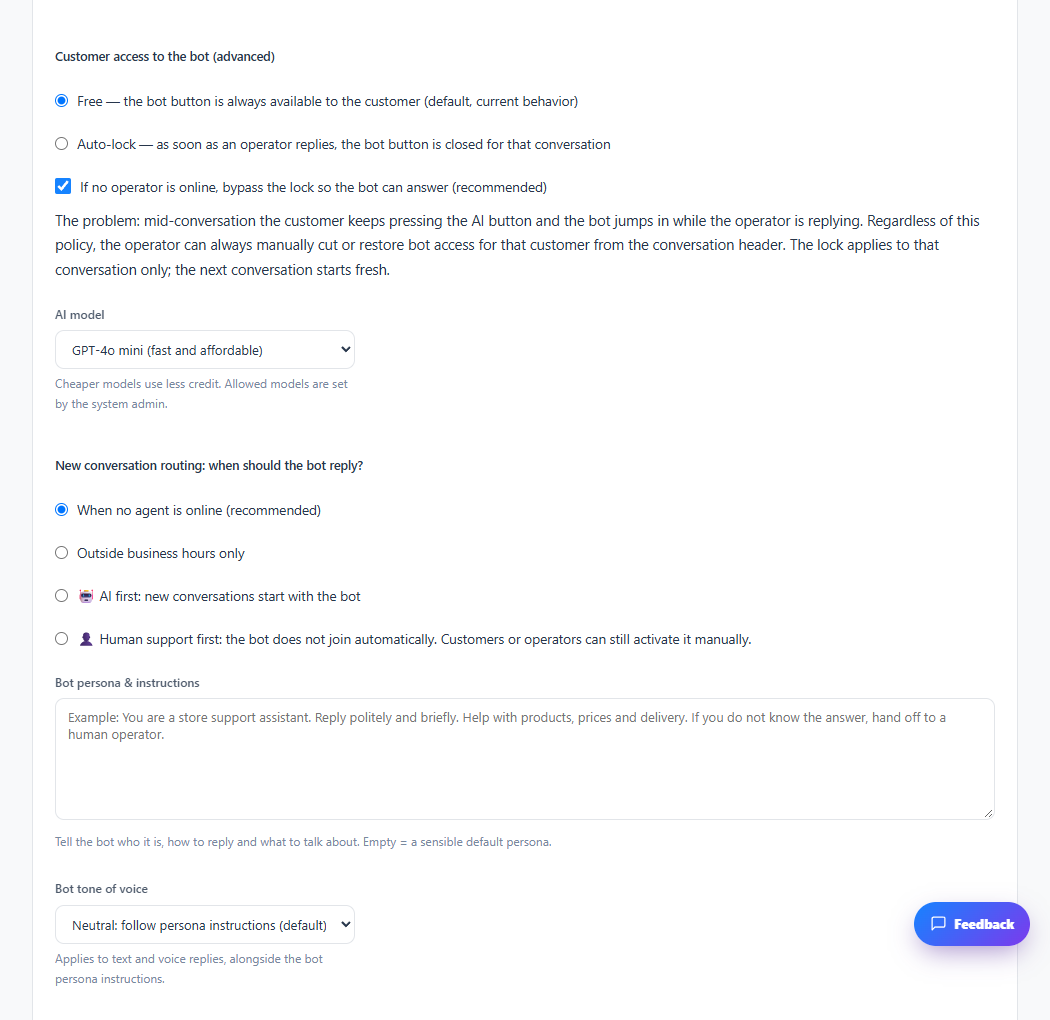
Step 3
Test common questions, unknown questions and a request for a human before enabling automatic replies.
Check the result
The assistant follows the configured response and handoff policy.
If something does not work
Provider access, credit and plan permissions are required. Review real answers after enabling the assistant.
Contact support