
Where to start
Settings → Knowledge and automation → Automations
For panel settings, sign in to the intended workspace with a role that has access to that section. Available tools depend on your plan and configured services.
Step 1
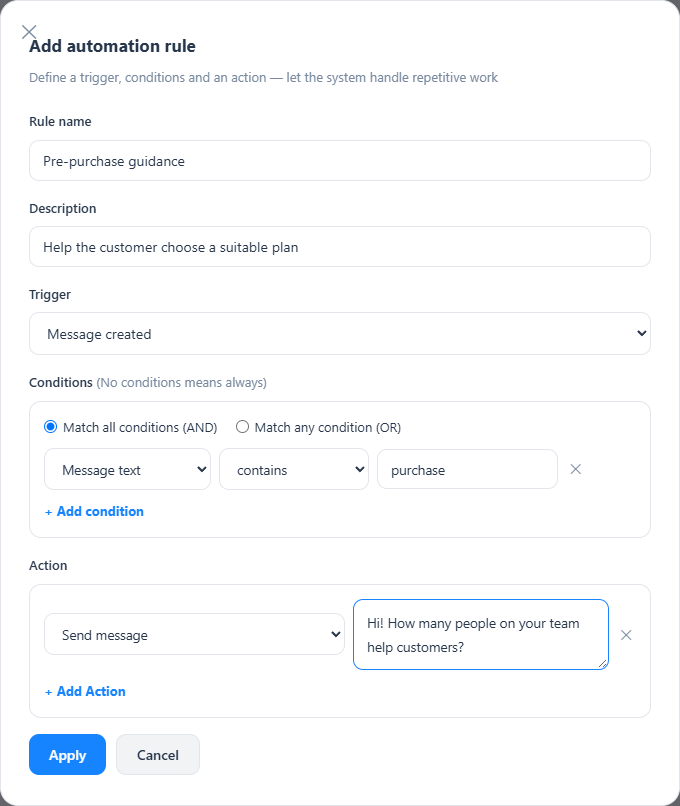
Add a rule, give it a descriptive name and choose the event that should trigger it.
Step 2
Set the conditions and whether all or any must match. Add the desired actions, such as a reply, label or assignment.
Step 3
Save and test both a matching and a non-matching conversation before relying on the rule.
Check the result
The rule performs its actions for matching events.
If something does not work
Avoid overlapping rules that could send repeated replies or route a conversation back and forth.
Contact support