
A clear conversation queue
Switch between open, resolved, assigned and unassigned conversations. Search the queue to find the customer you need.
Follow website, Telegram, WhatsApp and Bale conversations from a shared inbox. Keep the message history, customer context and next action together while your team replies.
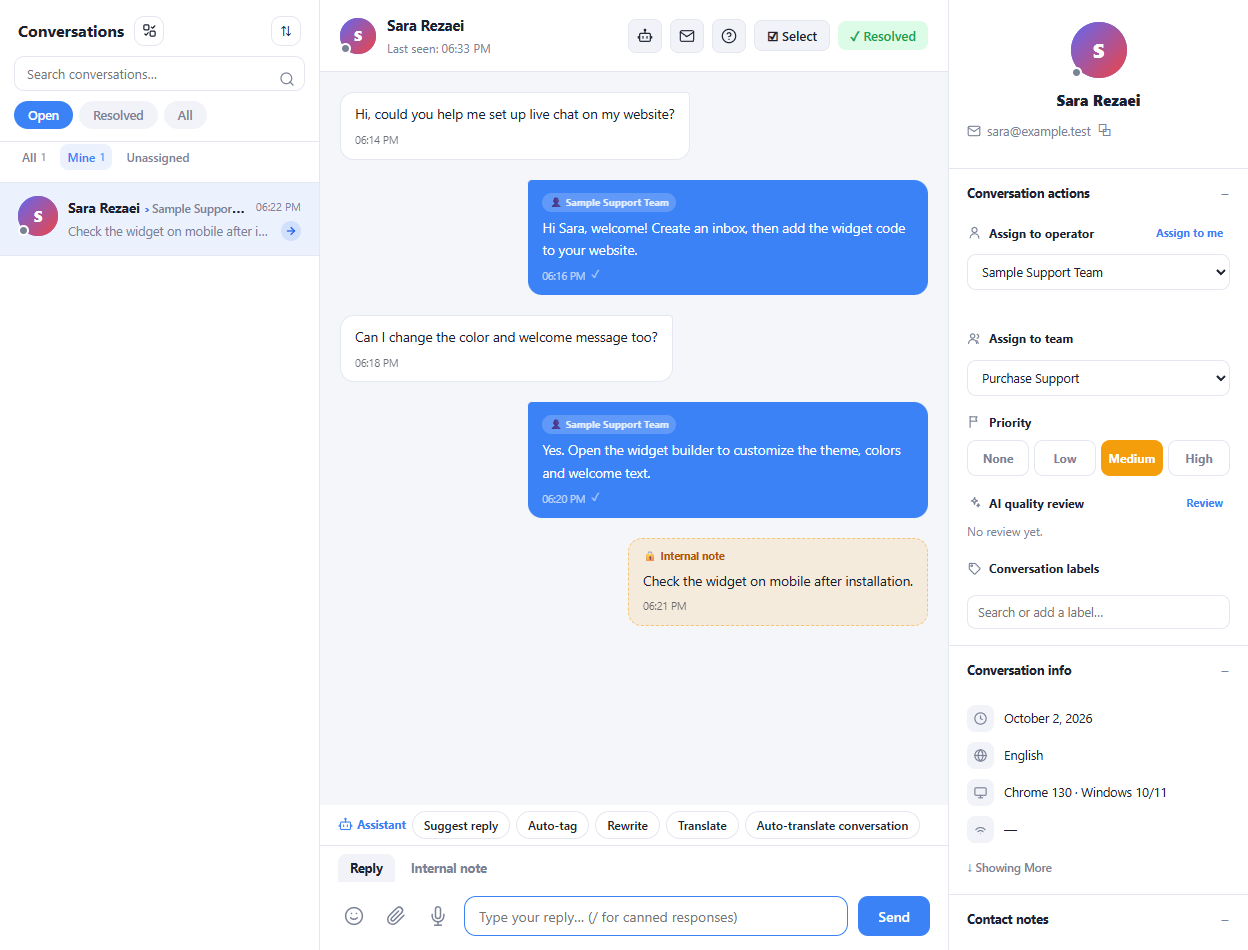
Switch between open, resolved, assigned and unassigned conversations. Search the queue to find the customer you need.
Assign a conversation to an operator or team and set its priority from the customer sidebar.
Read customer details, labels and internal notes without leaving the conversation. Reply with text, attachments or saved responses.
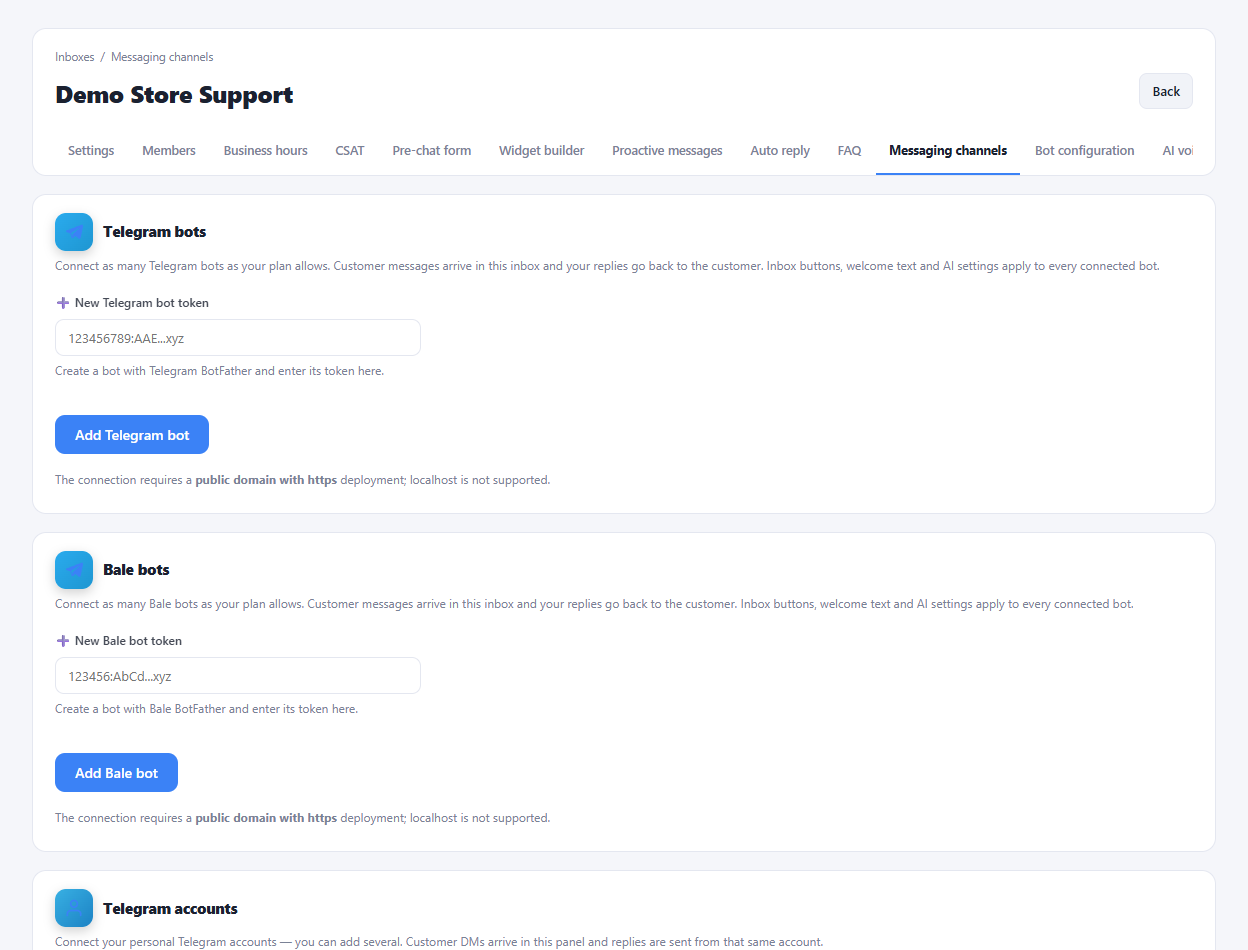
Create an inbox and connect the channels your team uses.
Choose a conversation, review its history and assign the right owner.
Reply, add an internal note when needed and mark the conversation resolved.
No. Internal notes are for the support team; the reply composer provides a separate reply mode for customer messages.
Enlarge the product screenshots on this page or explore the interactive workspace demo. The demo uses local sample data; plan availability is listed on the pricing page.
Explore the workspace demoCompare the available plans and decide which capacities your support team needs.