
Draft with conversation context
Request a suggested response using the conversation and available knowledge sources, then adapt it to the customer's situation.
Use the assistant inside the conversation to draft a reply, revise wording or translate a message. The operator can review the text before sending it to the customer.
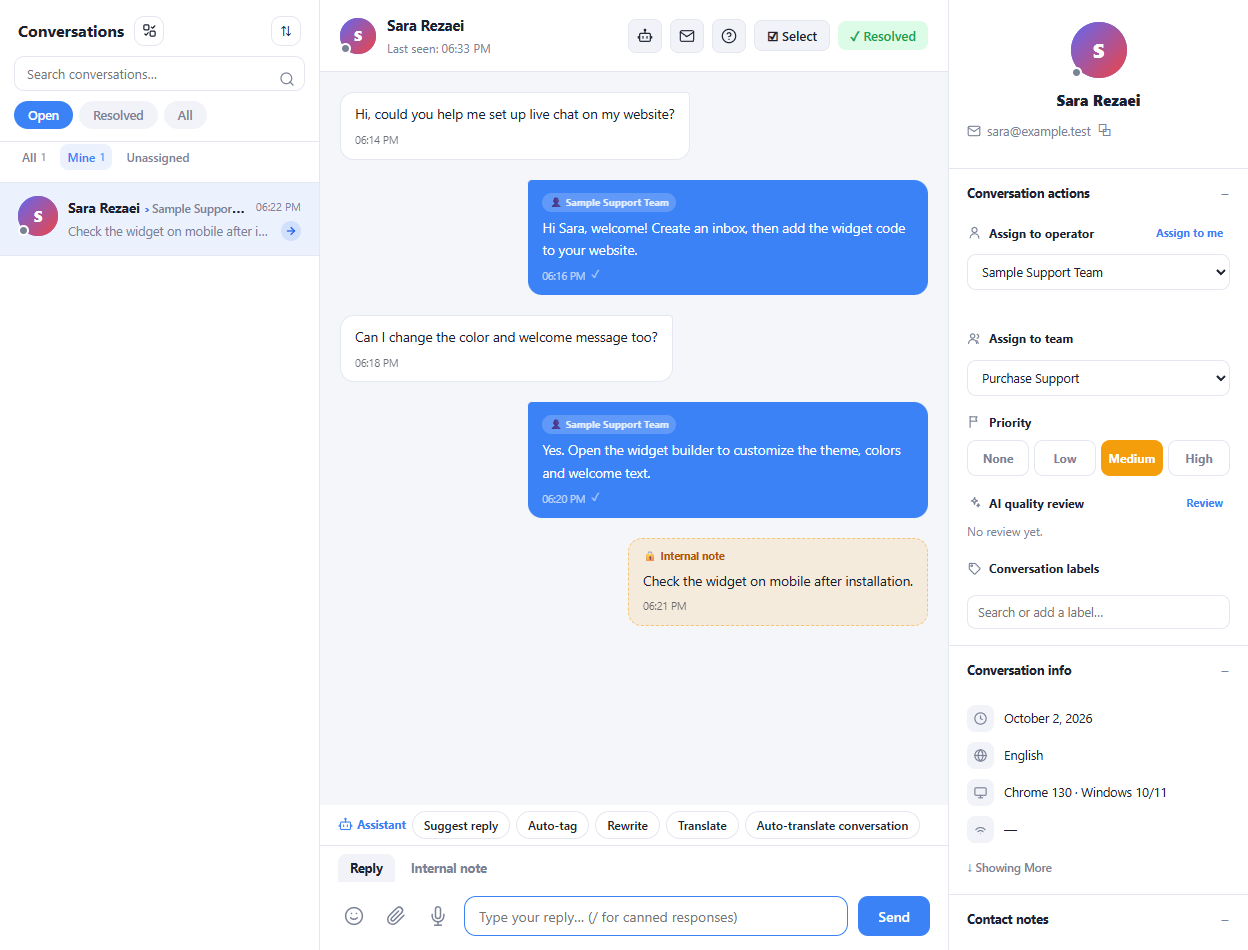
Request a suggested response using the conversation and available knowledge sources, then adapt it to the customer's situation.
Choose a more formal, friendly or concise version of a draft, or use spelling correction from the writing menu.
Request a conversation summary or use the translation tools when the next operator needs a clearer view of the exchange.
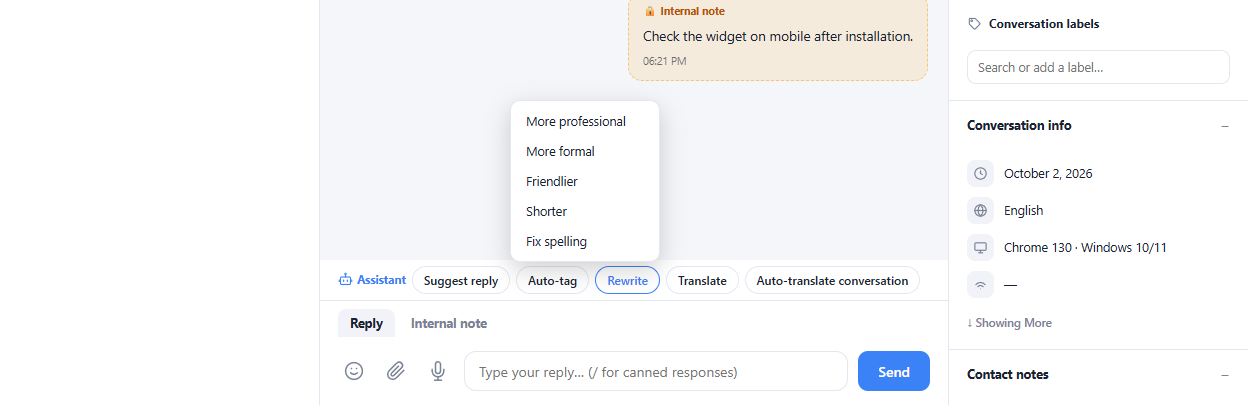
Open the conversation and read the customer's latest request.
Choose a suggested response, a writing action or a translation.
Review names, facts and commitments before sending the final reply.
The assistance tools prepare text for the operator to review. Automated bot responses are configured separately in the inbox settings.
Enlarge the product screenshots on this page or explore the interactive workspace demo. The demo uses local sample data; plan availability is listed on the pricing page.
Explore the workspace demoCompare the available plans and decide which capacities your support team needs.