
Bring your sources together
Add manual text, a website URL or a supported file from the knowledge workspace. Processing status shows which sources are ready.
Manage the information your assistant retrieves from text, website URLs and supported documents. Review the content, connect it to the right inbox and improve gaps over time.
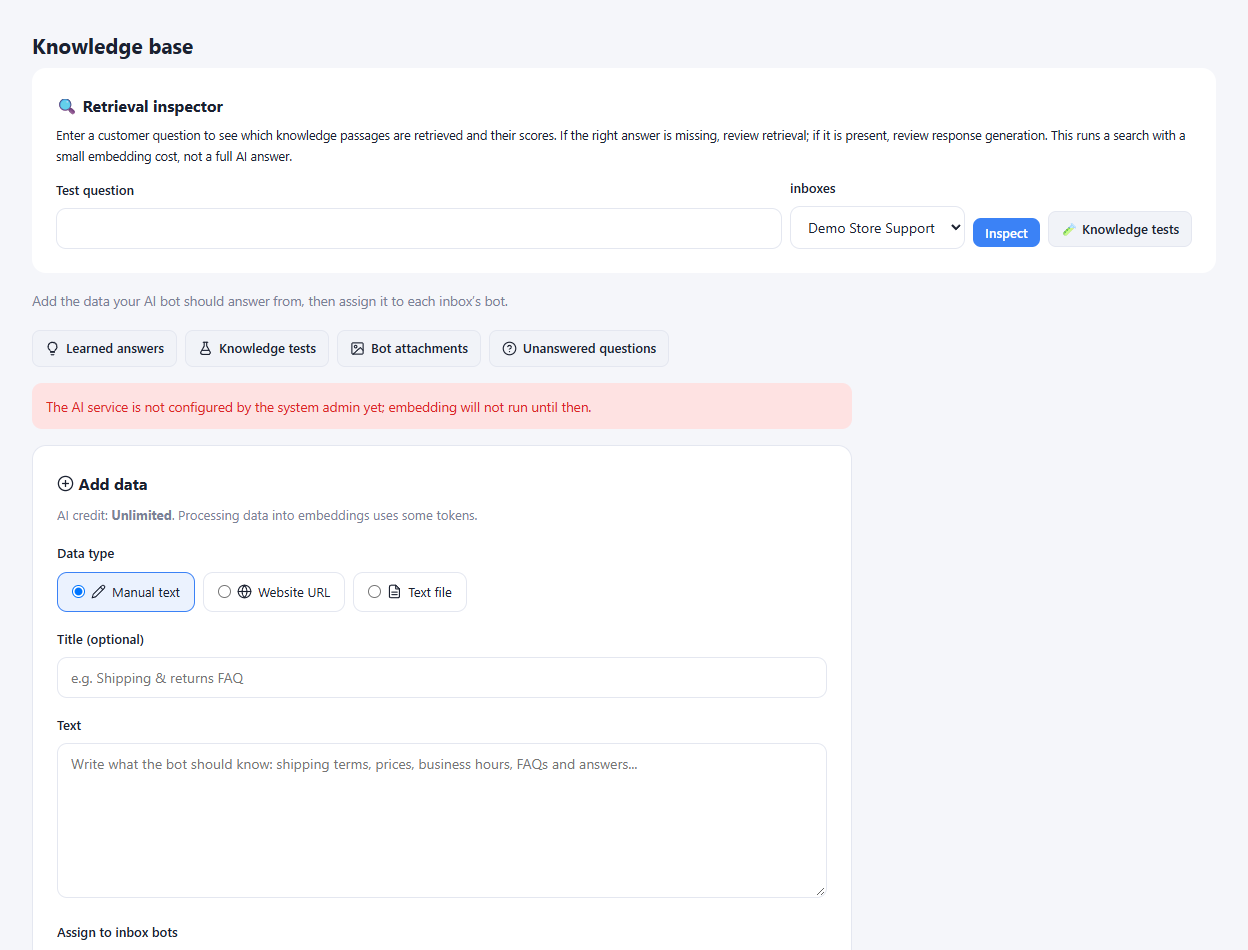
Add manual text, a website URL or a supported file from the knowledge workspace. Processing status shows which sources are ready.
Inspect source chunks and use the retrieval inspector to see what information is found for a sample question.
Review the unanswered-question list and add a suitable answer or dismiss an irrelevant item from the knowledge workflow.
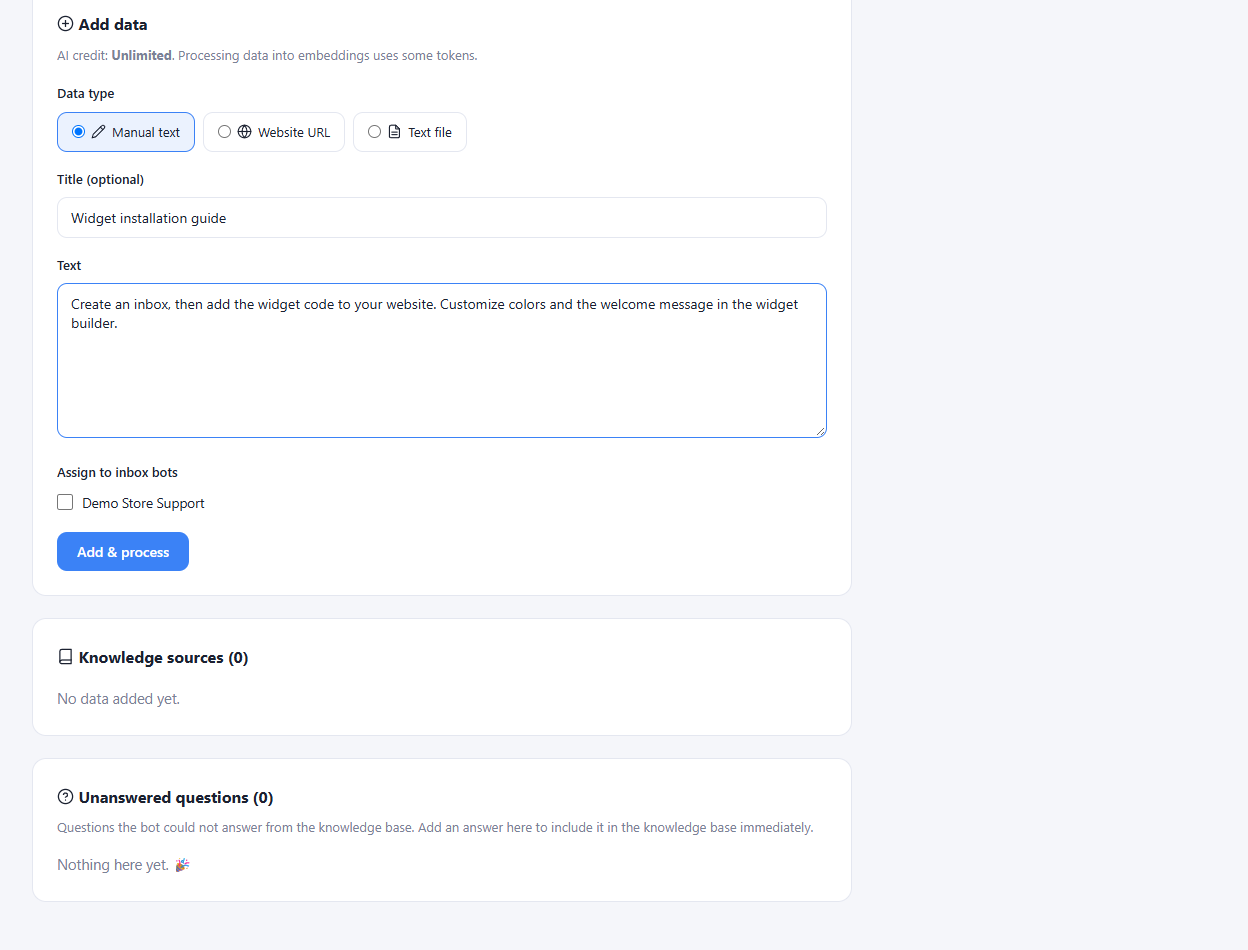
Collect current policies, product details and support instructions.
Upload or enter the content and assign the appropriate inboxes.
Check retrieval on common questions and revise incomplete sources.
No. Source quality, processing and retrieval all affect the result. Review the content and test relevant questions before relying on automated answers.
Enlarge the product screenshots on this page or explore the interactive workspace demo. The demo uses local sample data; plan availability is listed on the pricing page.
Explore the workspace demoCompare the available plans and decide which capacities your support team needs.