
Tune the conversation
Choose a voice, welcome sentence, interruption sensitivity and microphone noise handling in the voice settings.
Configure voice conversations for an inbox using its knowledge and response instructions. Choose the voice, call limits and experience that fit your support process.
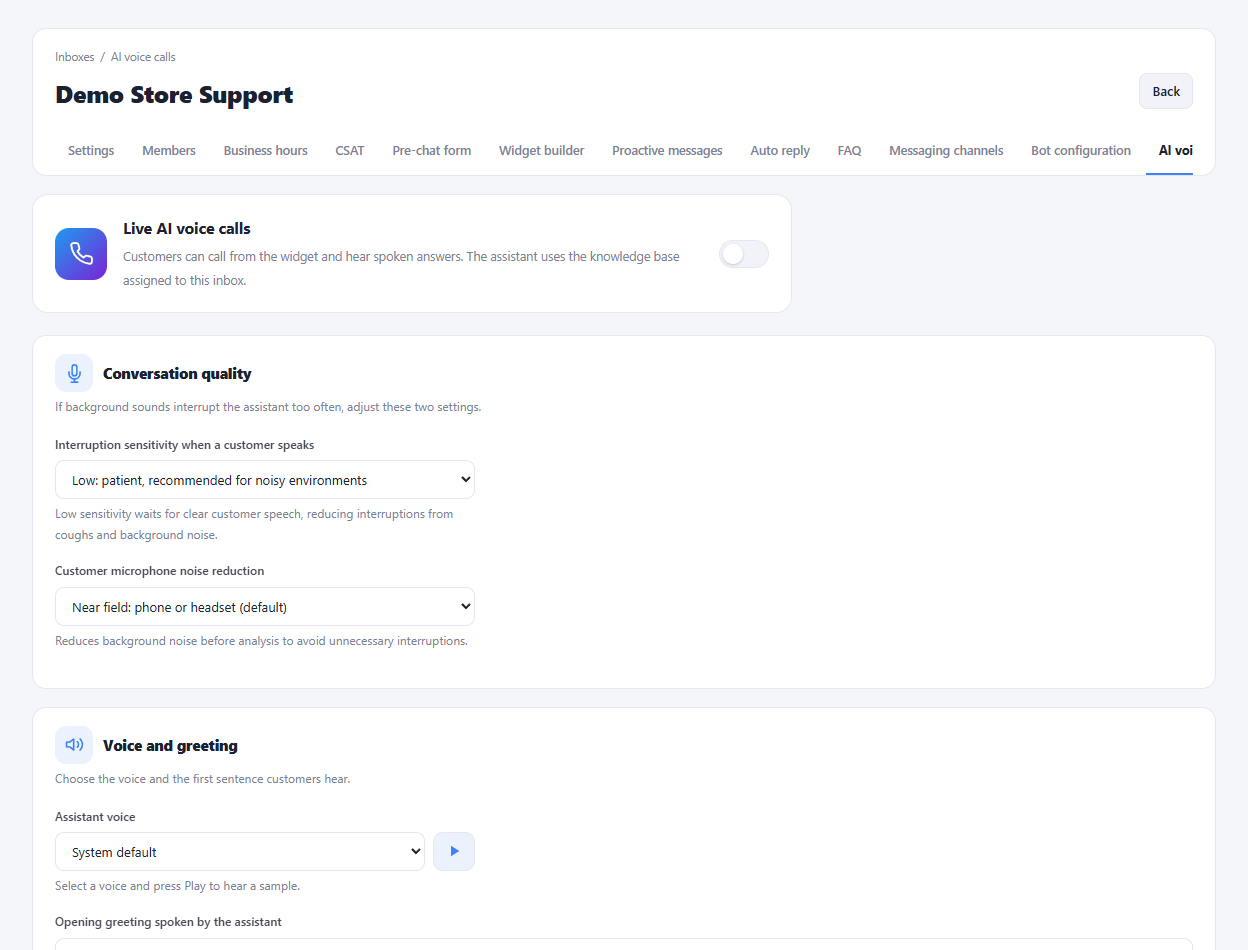
Choose a voice, welcome sentence, interruption sensitivity and microphone noise handling in the voice settings.
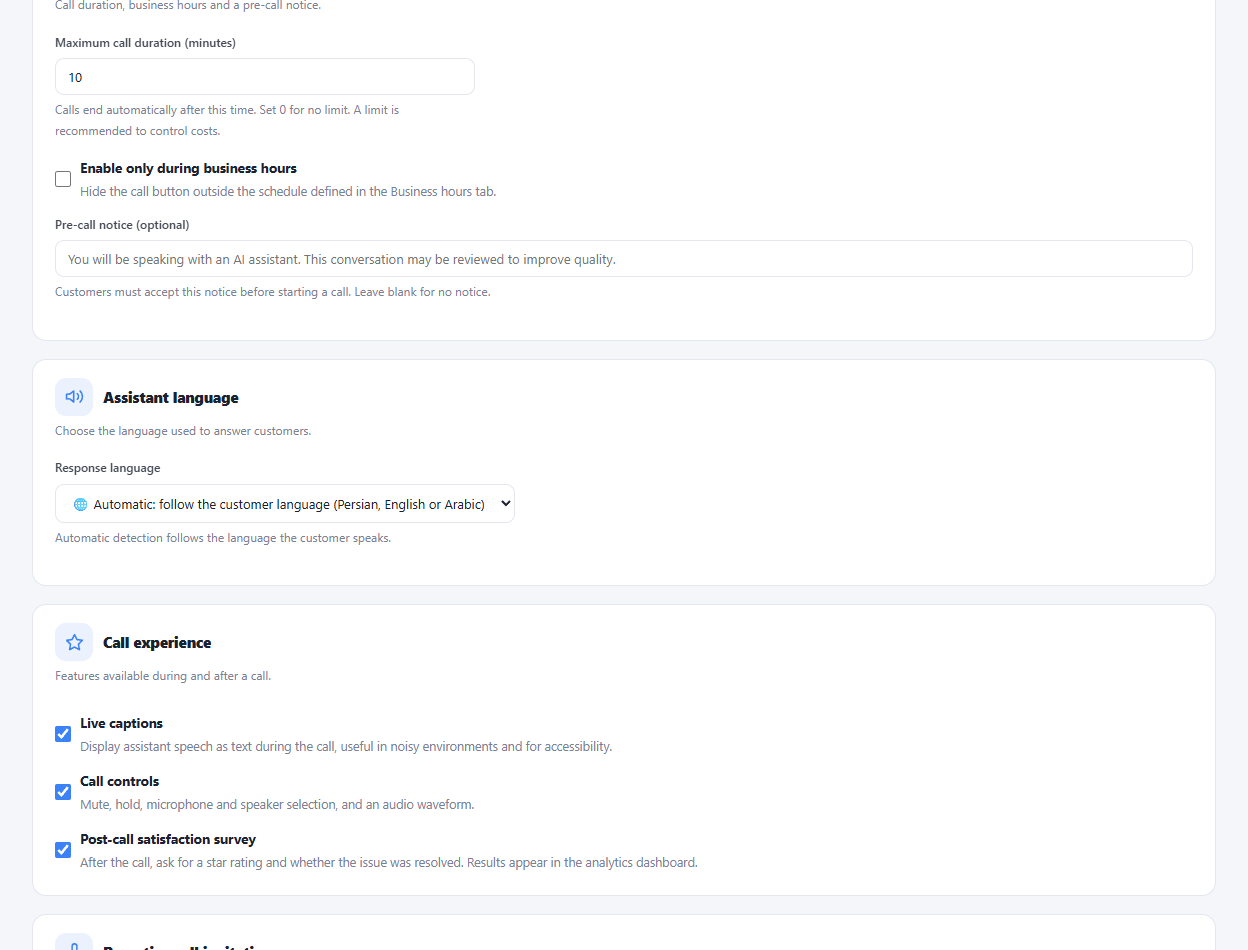
Set a maximum call duration, optional business-hour availability, a pre-call notice and a silence timeout.
Enable the available live captions and call controls, and use post-call satisfaction and voice reports for follow-up.
Prepare the inbox knowledge and configure the AI service.
Choose the voice, response language and call limits.
Test microphone permissions and a short call before making it available.
Yes. The inbox voice settings include maximum duration and automatic ending after a configured period of silence.
Enlarge the product screenshots on this page or explore the interactive workspace demo. The demo uses local sample data; plan availability is listed on the pricing page.
Explore the workspace demoCompare the available plans and decide which capacities your support team needs.