
Current browsing context
The visitor list shows available identity, current page, browser, device and inbox information.
Review visitors detected by the website widget, the pages they are viewing and their conversation status. Start a helpful exchange when a visitor needs guidance.
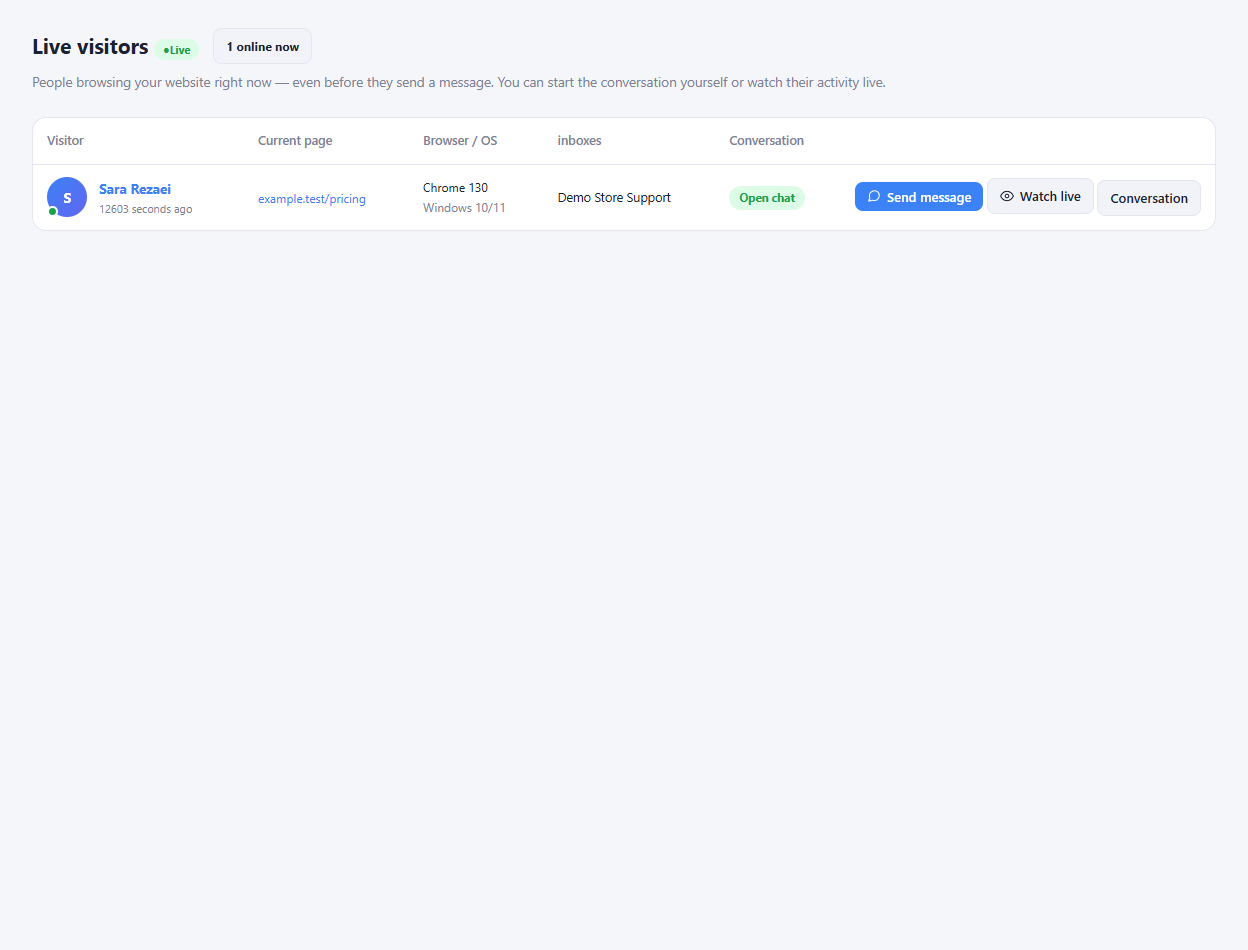
The visitor list shows available identity, current page, browser, device and inbox information.
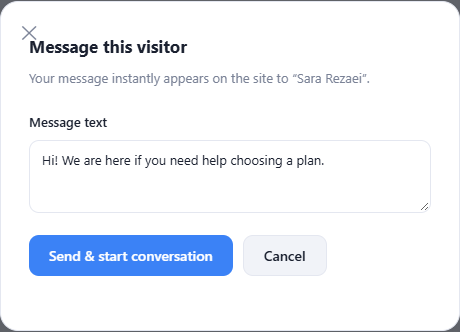
Open the message action for a visitor and write a message suited to the page they are viewing.
Use the conversation and live-view actions available in the list to continue a support interaction.
Install the widget on the pages where support should be available.
Review the visitor's page and available context.
Send a relevant message and continue in the shared inbox.
The live visitor list can show connected visitors before they start a conversation, letting your team offer help from the panel.
Enlarge the product screenshots on this page or explore the interactive workspace demo. The demo uses local sample data; plan availability is listed on the pricing page.
Explore the workspace demoCompare the available plans and decide which capacities your support team needs.