
A localized widget
Choose the widget's default language and provide language-specific text. The interface supports the appropriate reading direction.
Set the widget language and localized welcome texts, then use operator translation tools when a conversation crosses languages.
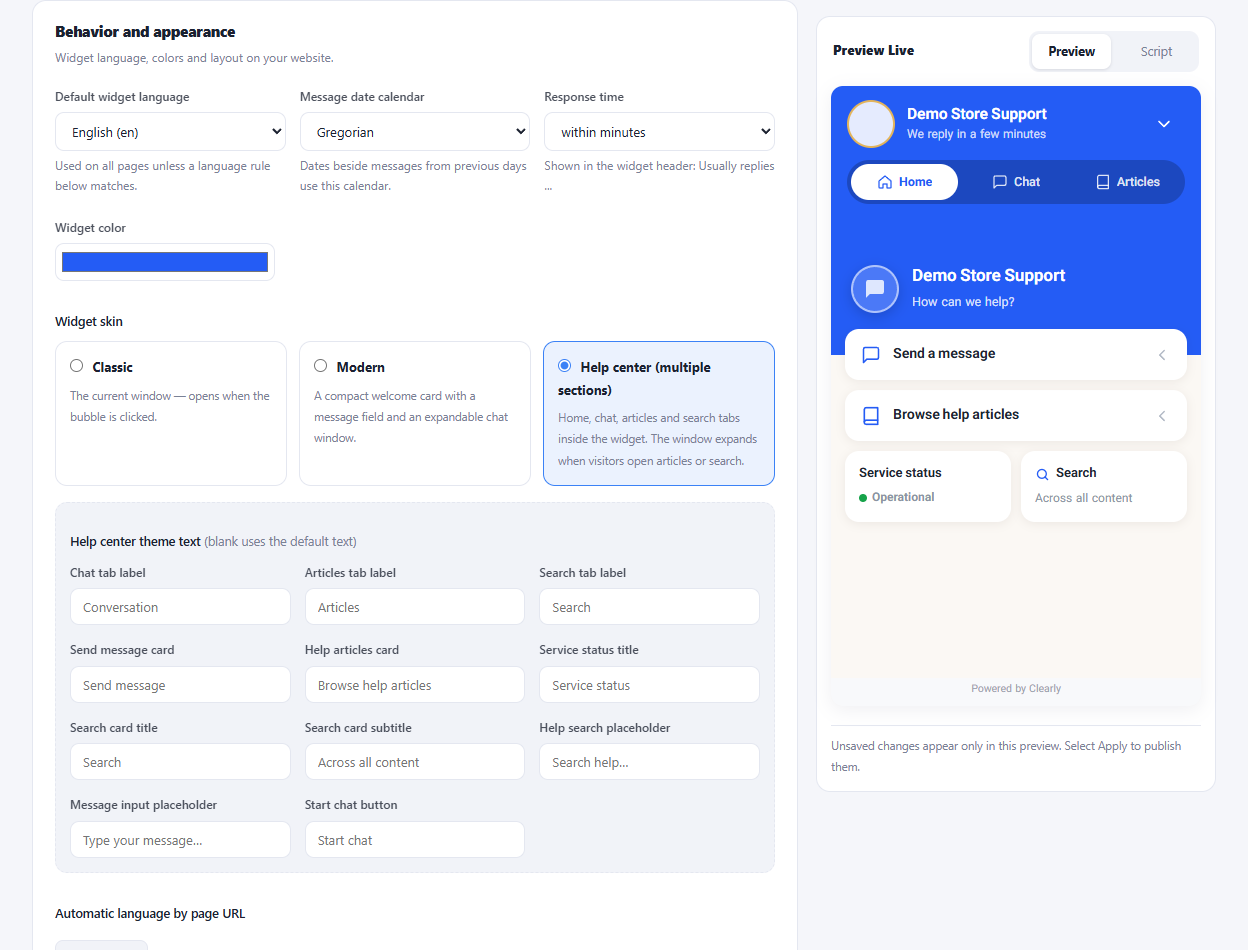
Choose the widget's default language and provide language-specific text. The interface supports the appropriate reading direction.
Map parts of your page URLs to widget languages so different language sections can show the appropriate experience.
Use the conversation toolbar to translate a draft or configure the available automatic conversation translation.
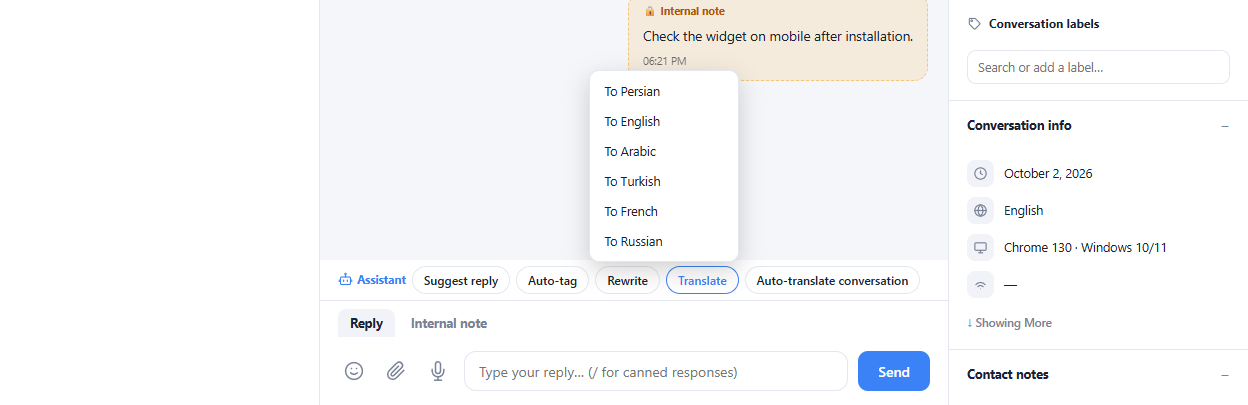
Choose the default widget language for the inbox.
Write localized texts and add page-language rules where needed.
Review translated replies before sending important details.
Yes. The widget builder provides language-specific texts alongside language rules for website URLs.
Enlarge the product screenshots on this page or explore the interactive workspace demo. The demo uses local sample data; plan availability is listed on the pricing page.
Explore the workspace demoCompare the available plans and decide which capacities your support team needs.