
Choose the events you need
Configure event delivery for conversations, messages, contacts and other events offered by the webhook editor.
Send selected workspace events to an endpoint you control, or schedule incremental delivery of conversations and contacts to your own systems.
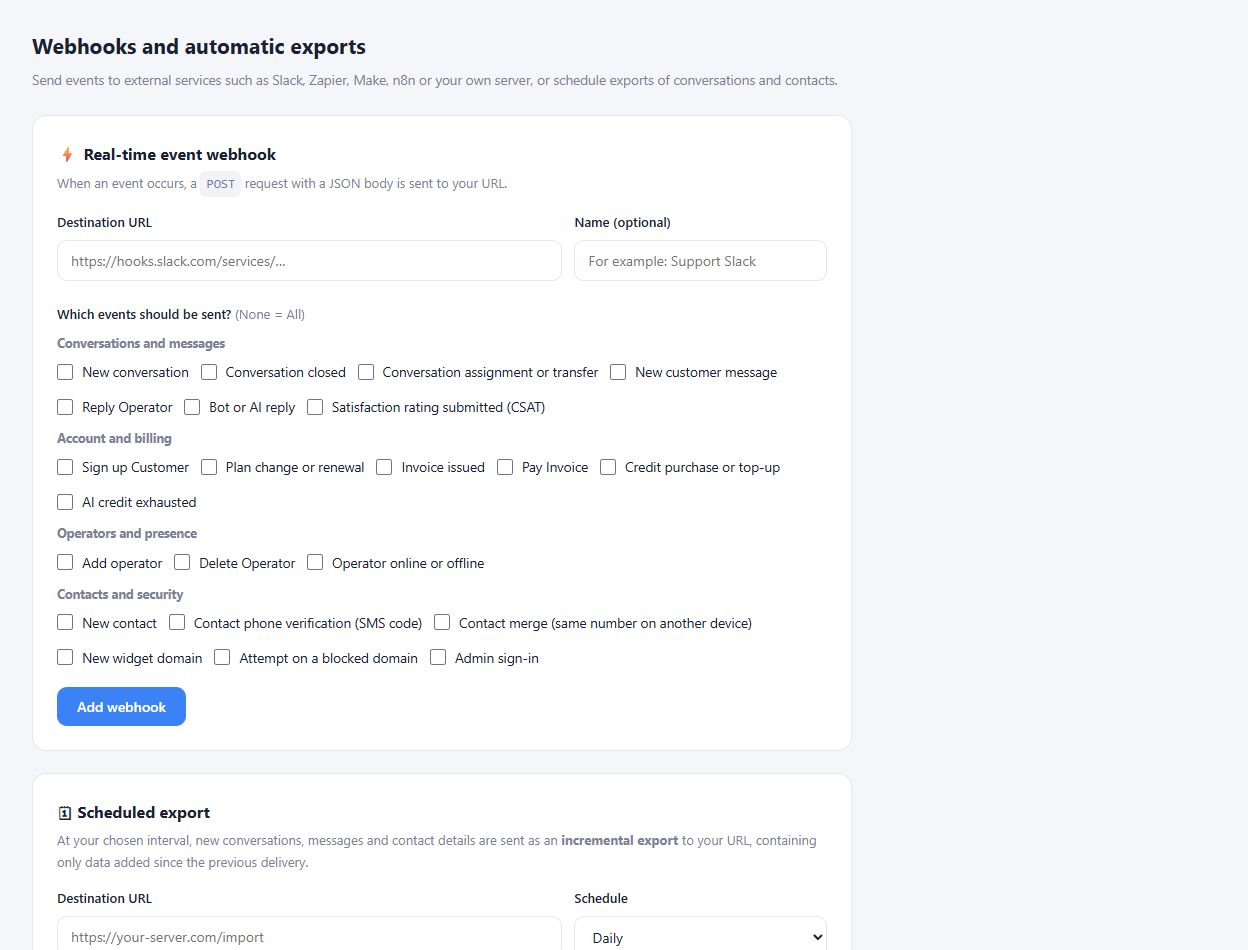
Configure event delivery for conversations, messages, contacts and other events offered by the webhook editor.
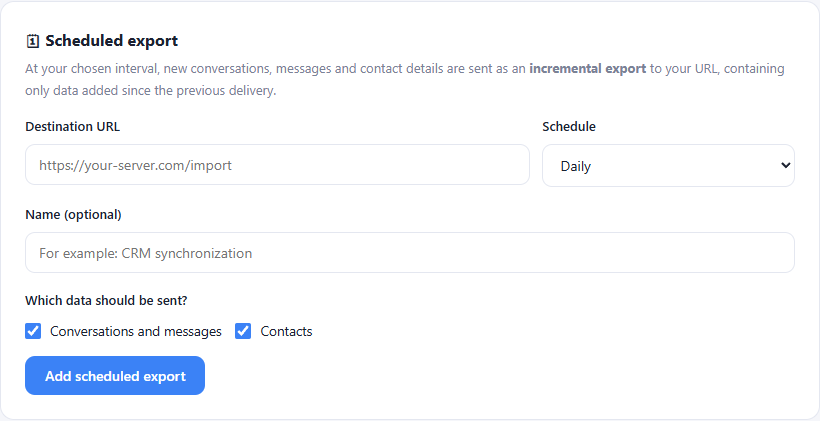
Choose an hourly, daily or weekly schedule and select whether to include conversations, messages and contact data.
Use the endpoint list, delivery history and payload documentation to understand what your receiving service should handle.
Prepare a receiving endpoint in your own service or automation tool.
Select events or a delivery schedule in the webhook settings.
Verify a test delivery and inspect the response on both sides.
Yes. The event-based webhook form lets you select the events to include. Scheduled exports have separate data and interval options.
Enlarge the product screenshots on this page or explore the interactive workspace demo. The demo uses local sample data; plan availability is listed on the pricing page.
Explore the workspace demoCompare the available plans and decide which capacities your support team needs.